
How to Use JobStacky's Job Application Tracker
JobStacky Job Application Tracker dashboard
How to Use JobStacky's Job Application Tracker
JobStacky's job application tracker isn't just a place to log applications. It's built to handle the whole job search, from finding opportunities to writing your documents to figuring out which companies are actually hiring right now.
Here's a full walkthrough of everything the platform can do.
Getting Started
Step 1: Check your dashboard
The dashboard is where you land first, and it's built to answer one question: how's your job search actually going?
From here you can see your total applications, interviews, offers, resumes created, and anything still waiting on a response. It also shows your profile completion, hiring trends from the wider JobStacky community, your recent applications, how your statuses are distributed, and your application timeline broken down by company and by week.
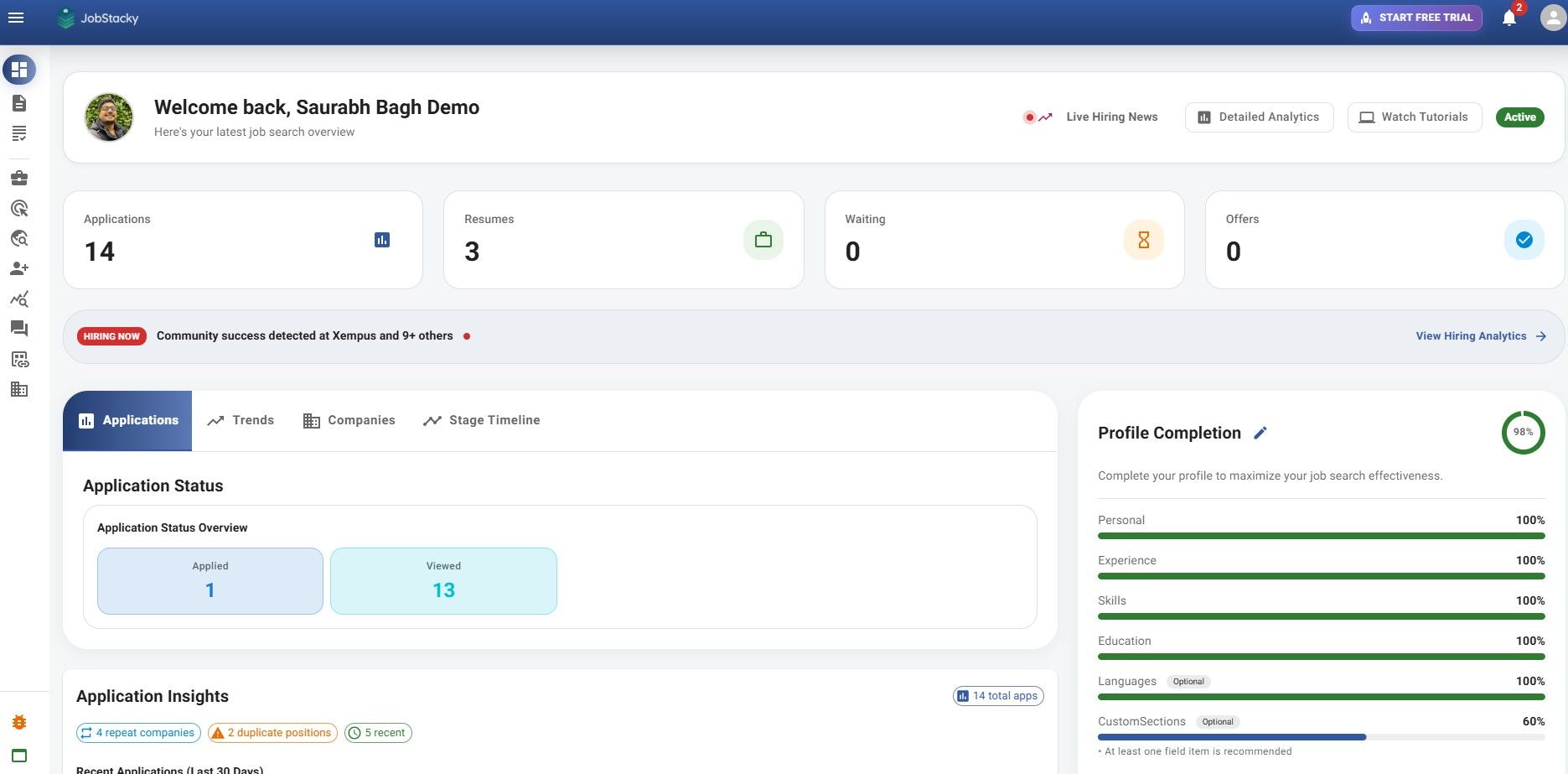
JobStacky - Job Application Tracker - Step 1 - See the Dashboard
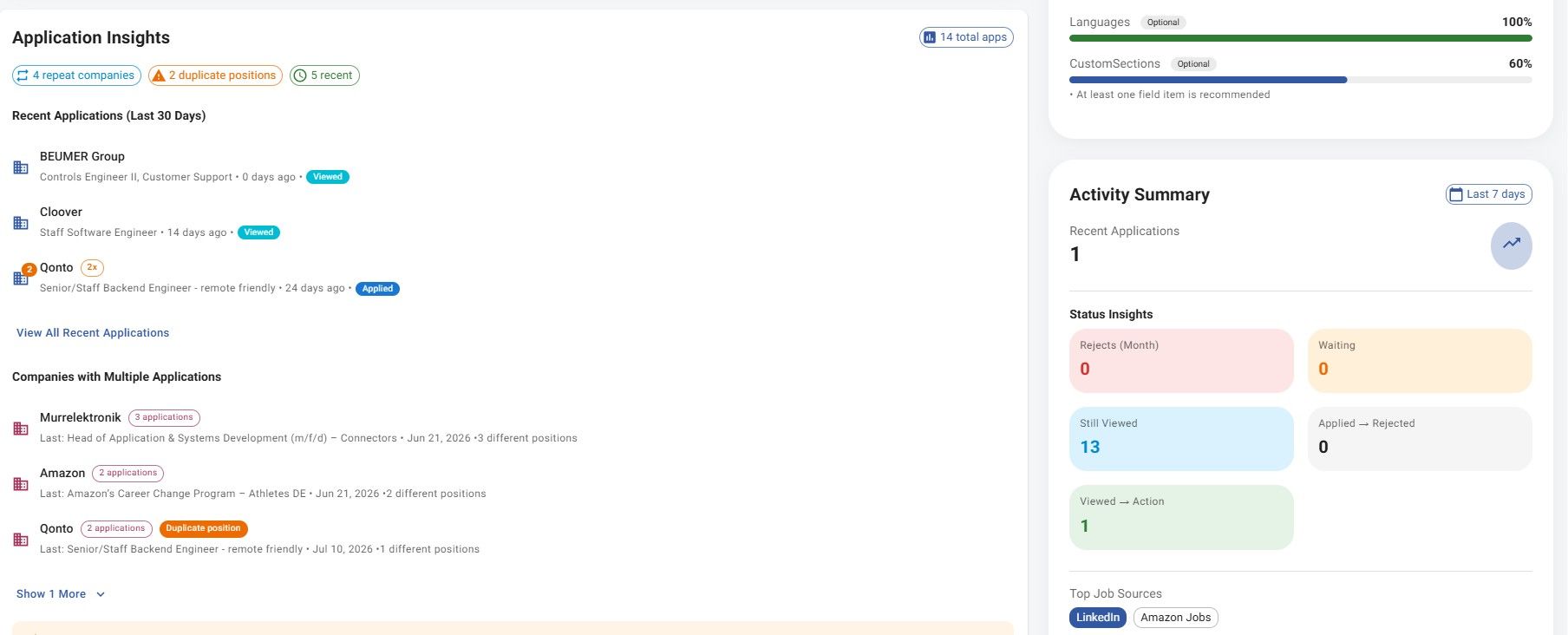
Jobstacky Job Application tracker - See application Insights
Step 2: Add a job
Go to: https://jobstacky.com/jobtracker
Click Add Job, then either paste in the job link and hit Fetch, or use the JobStacky Chrome Extension (https://jobstacky.com/blogs/how-to-track-job-applications-with-the-jobstacky-chrome-extension) to grab it automatically while you're browsing.
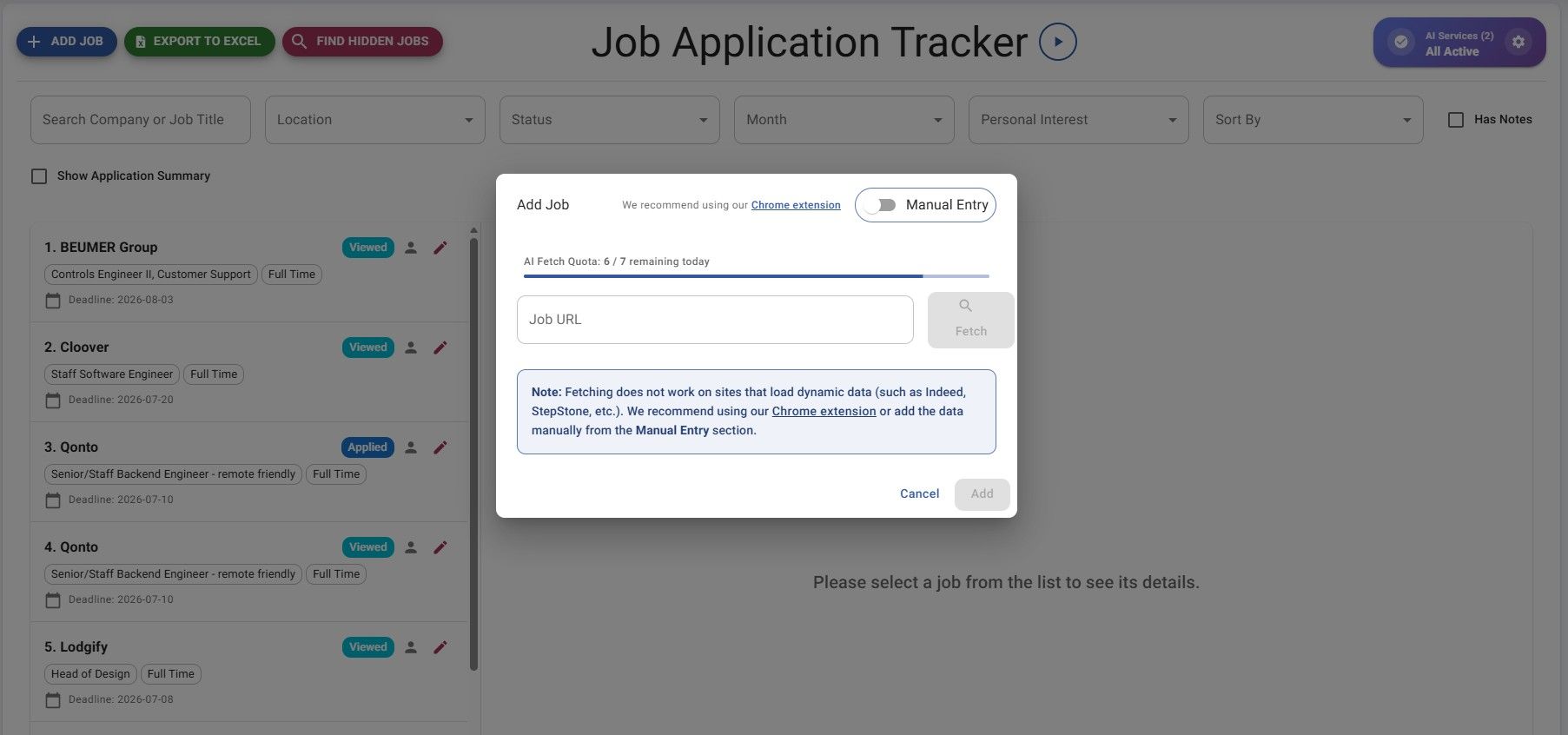
JobStacky Job Application Tracker - Add Job - Via Link or use chrome extenstion
Please note: fetching does not work on sites that load dynamic data (such as Indeed, StepStone, etc.). We recommend using our Chrome Extension or adding the data manually from the Manual Entry section.
Once it's pulled in, you can review the extracted details, edit anything that's off, add your own notes, and save it.
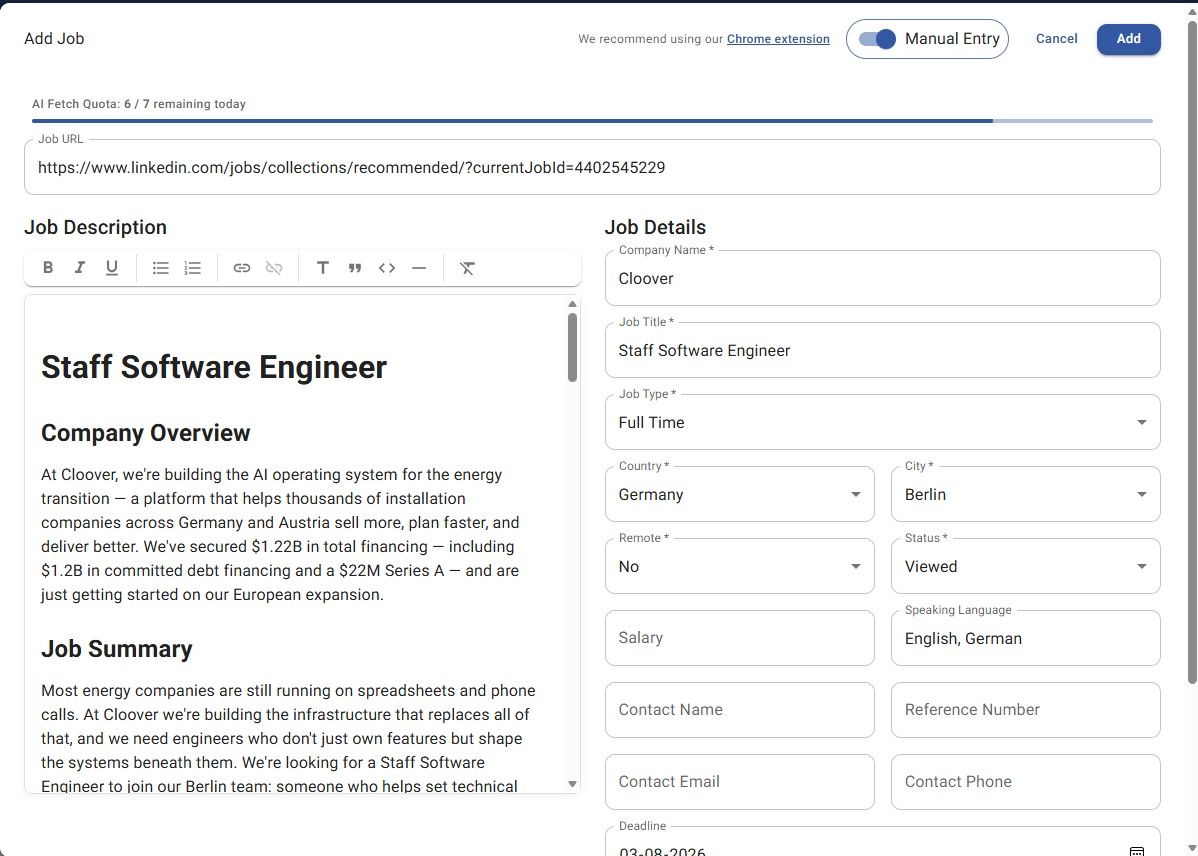
JobStacky Job Application Tracker - Review data when pulled.
If you've applied to that company or role before, JobStacky flags it right away and shows your past application history, so you're not sending a duplicate without realizing it.
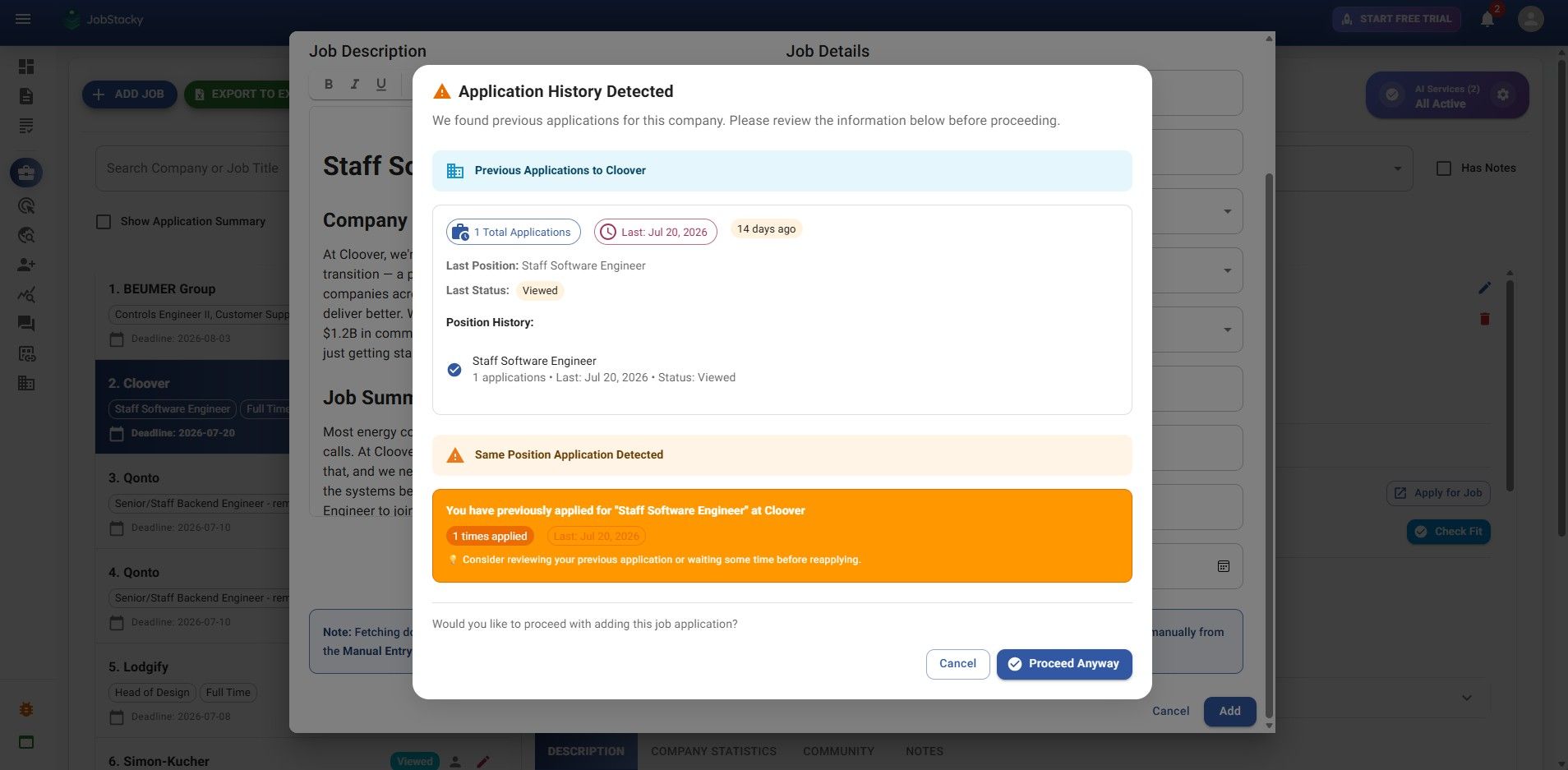
JobStacky Job Application Tracker - Application History Detected
Even if you go ahead and add it anyway, you can still view it under Application History:
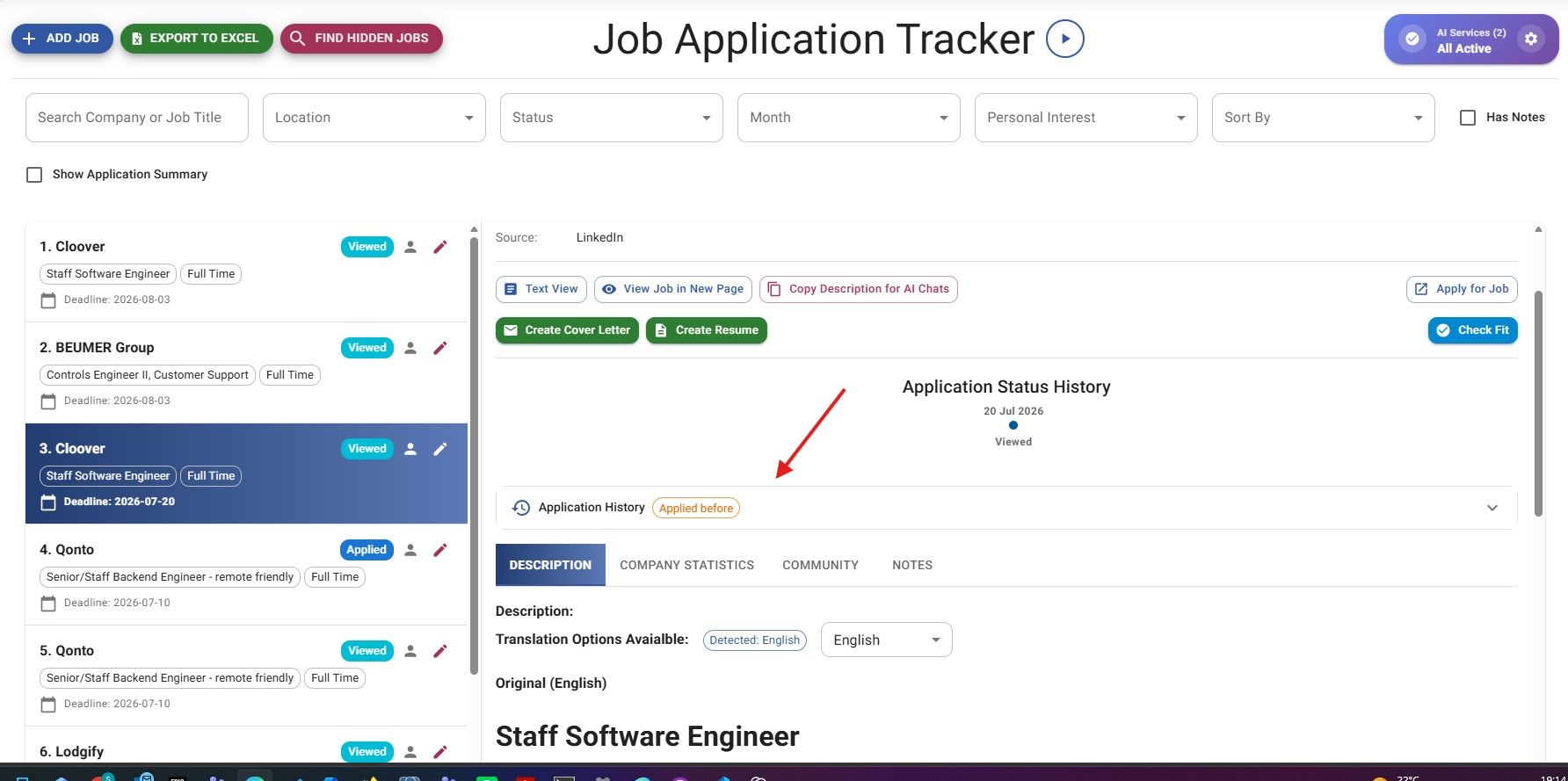
JobStacky Job Application Tracker - Application History
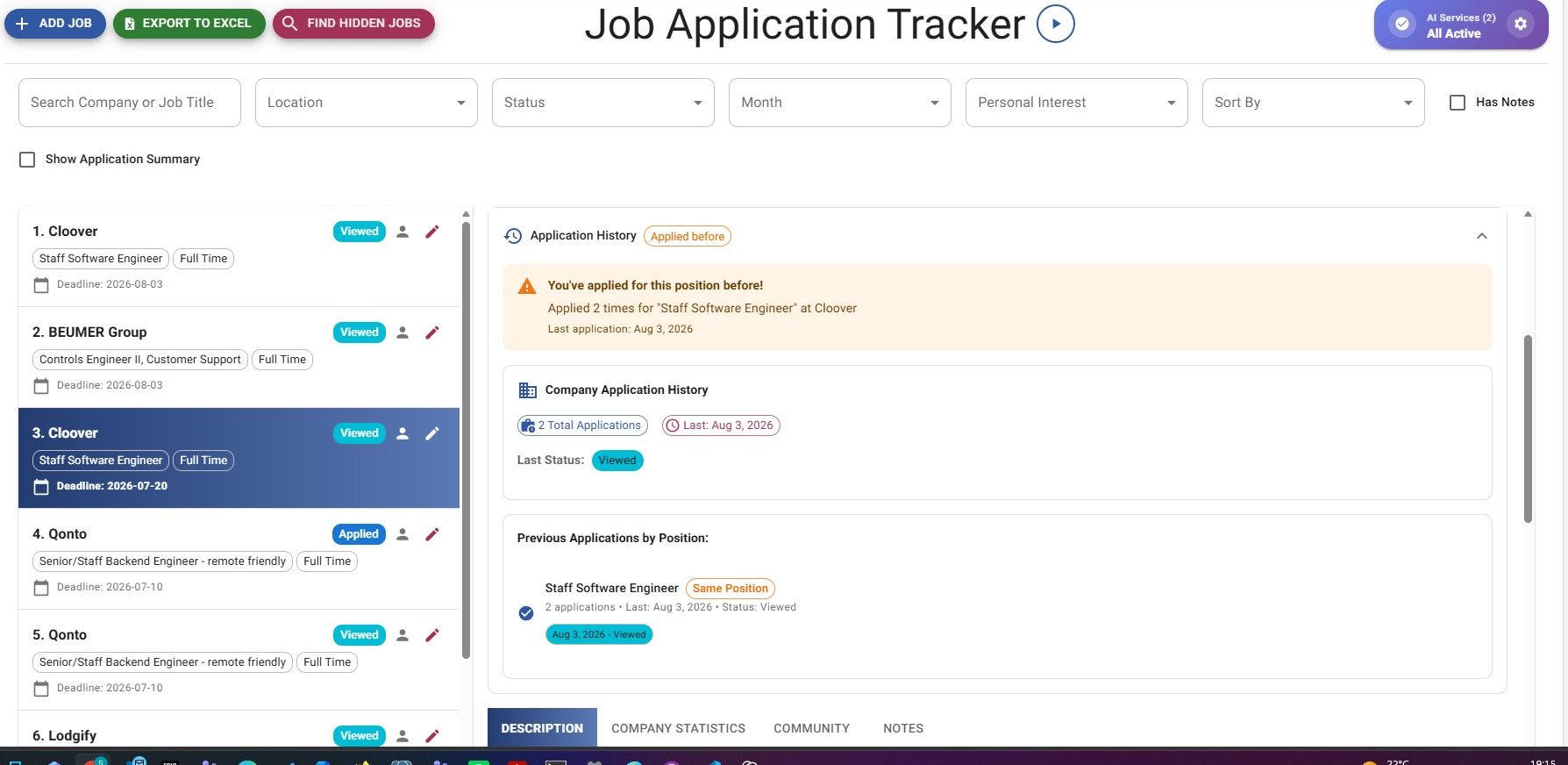
JobStacky Job Application Tracker - Job Application History List
Managing Your Applications
Step 3: Manage each application
Every saved job comes with everything you need: you can update the status, see its full status history, set reminders, add private notes, jump back to the original posting, check if it's still active, view salary info when it's available, see hiring stats for that company, check how well you fit the role, and generate application documents on the spot.
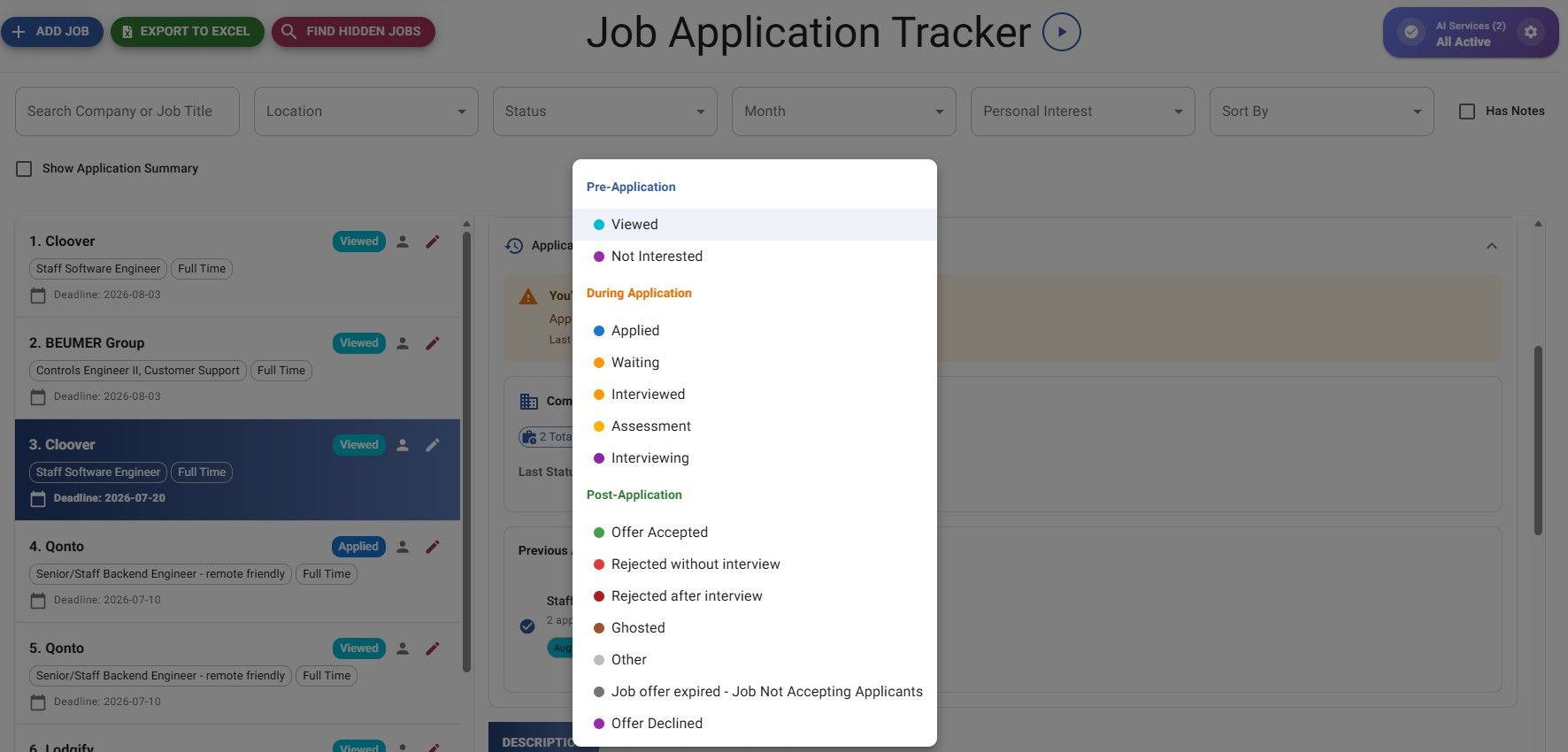
Jobstacky Job Application Tracker - Quick Status update
You can also update or edit the job description from here:
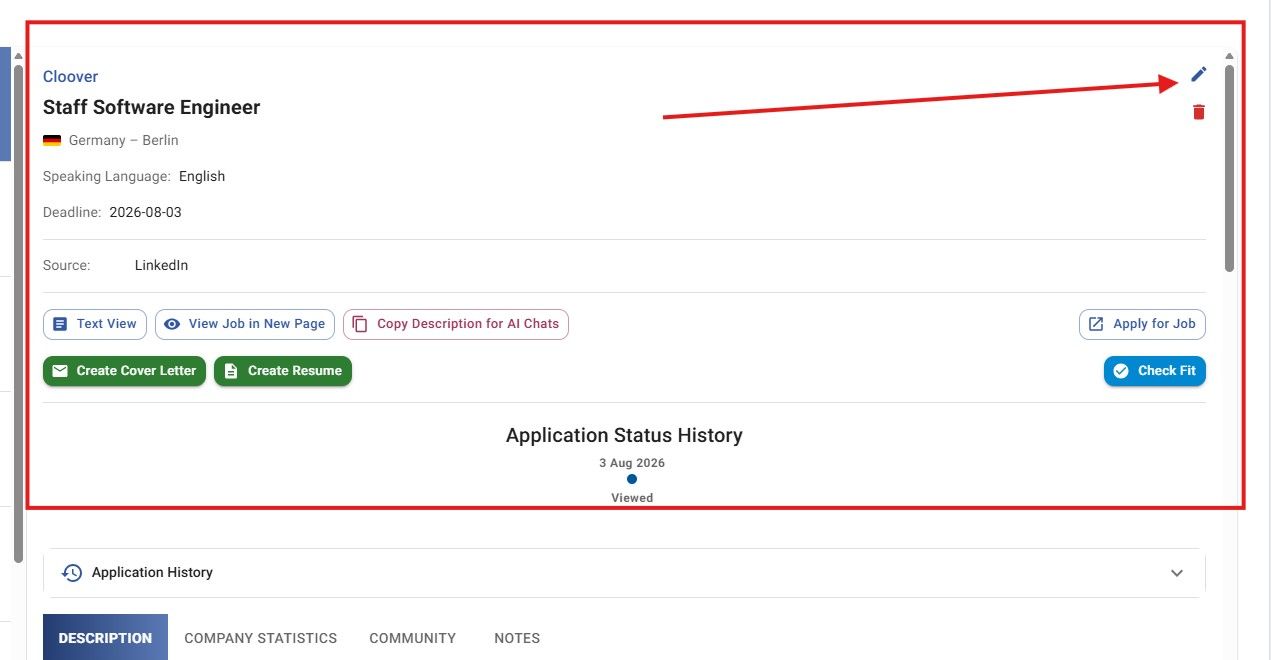
JobStacky Job Application Tracker - Edit Job directly from Job tracker page
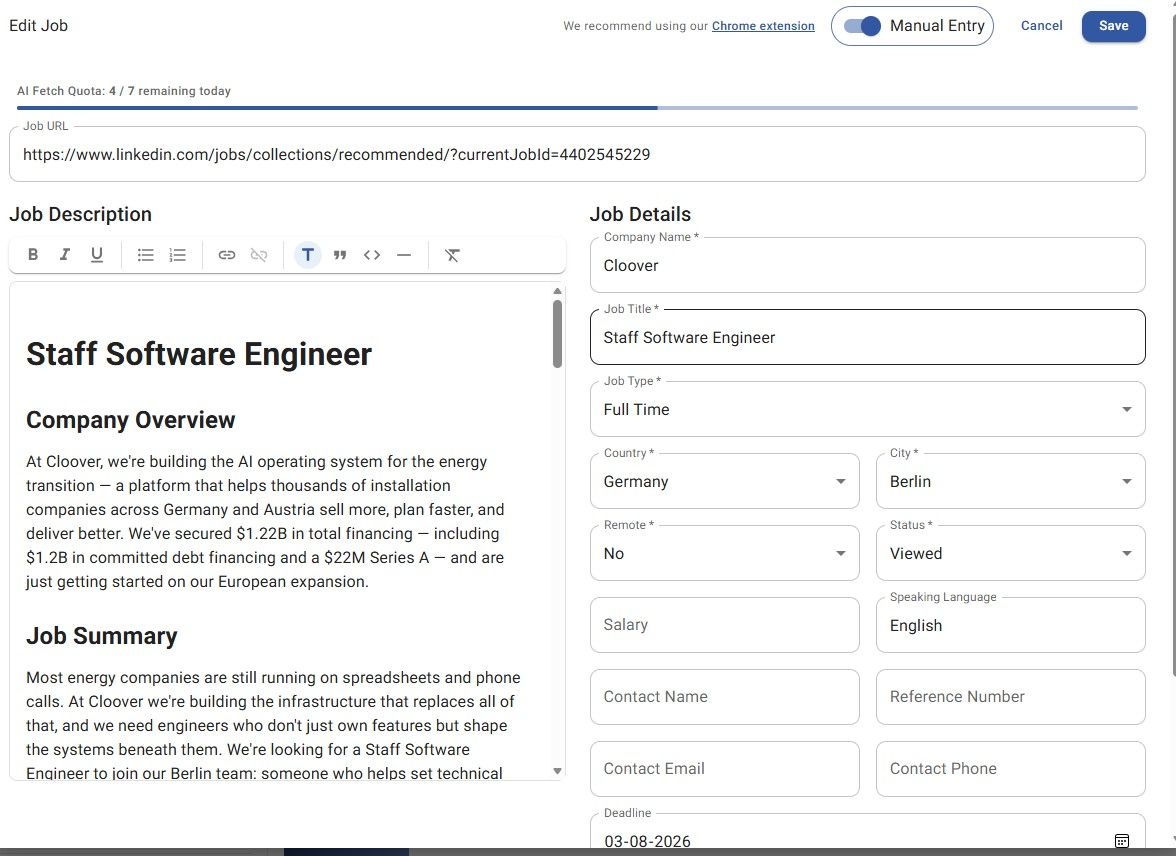
JobStacky - Job Application Tracker - Edit Job
You can also click View Job in New Page to update details and save them:
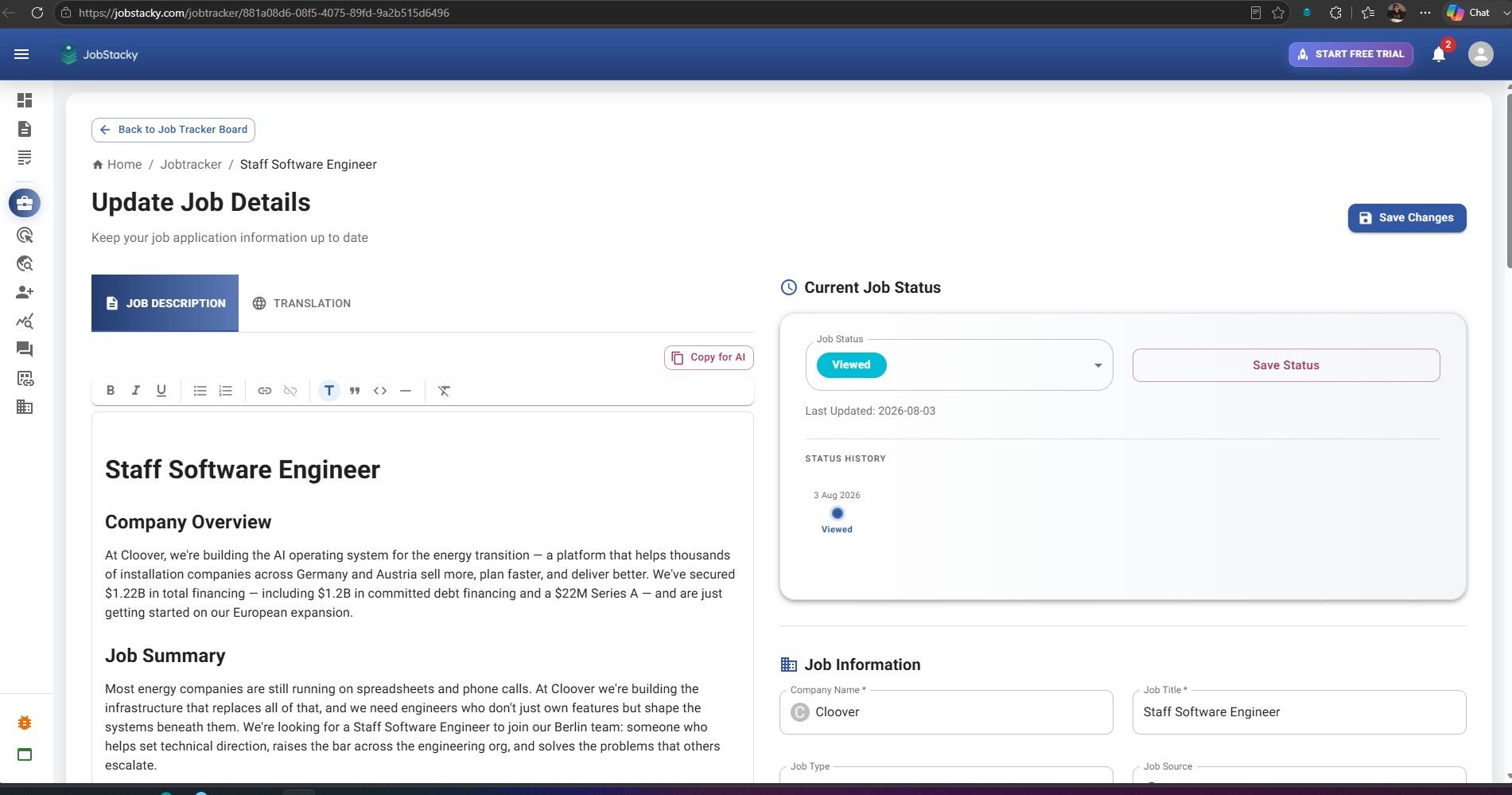
JobStacky Job Application Tracker - Edit Job - Update Status quickly in new page
If the job description is in a different language, JobStacky automatically translates it to English by default.
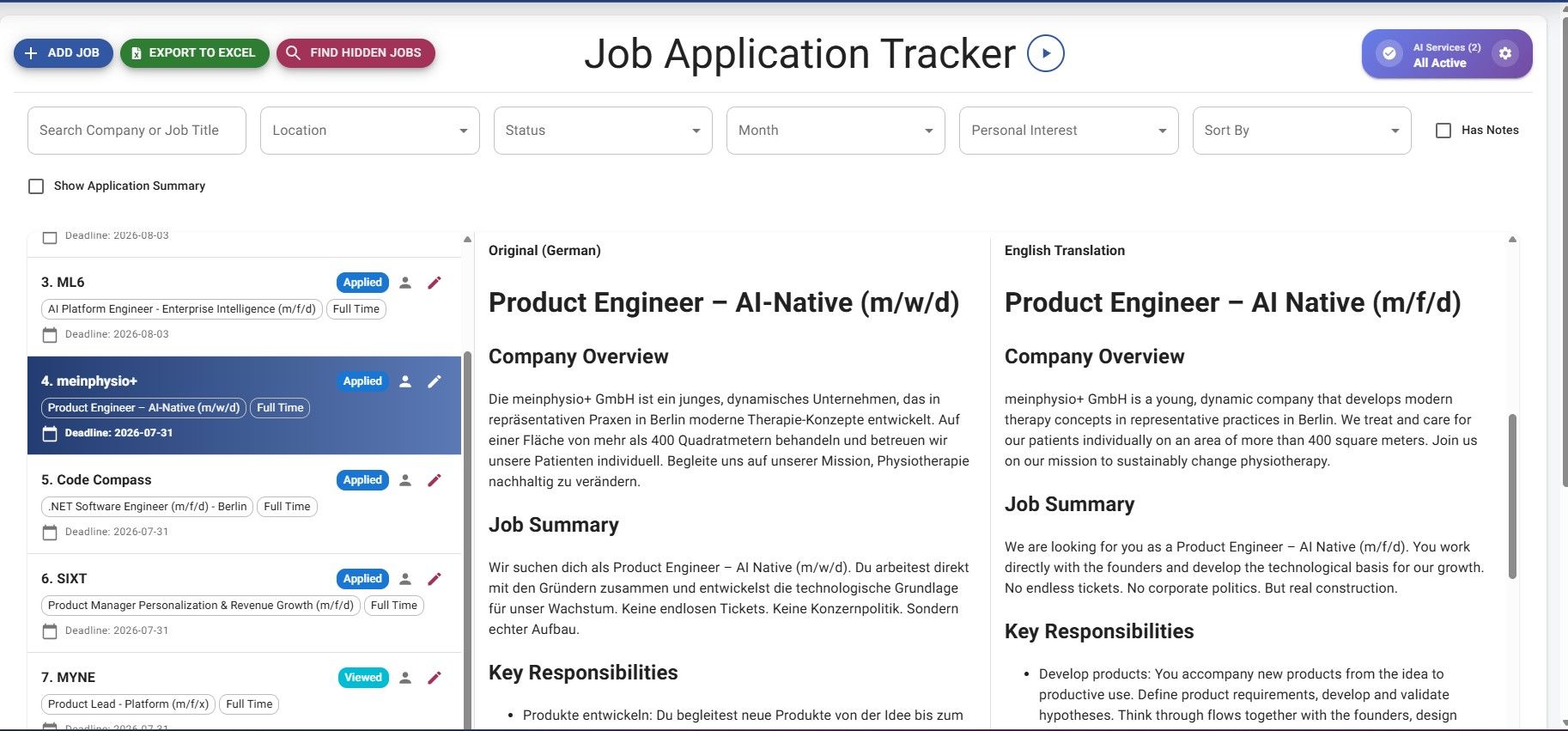
JobStacky Job Application Tracker - Auto Translate to English Job description
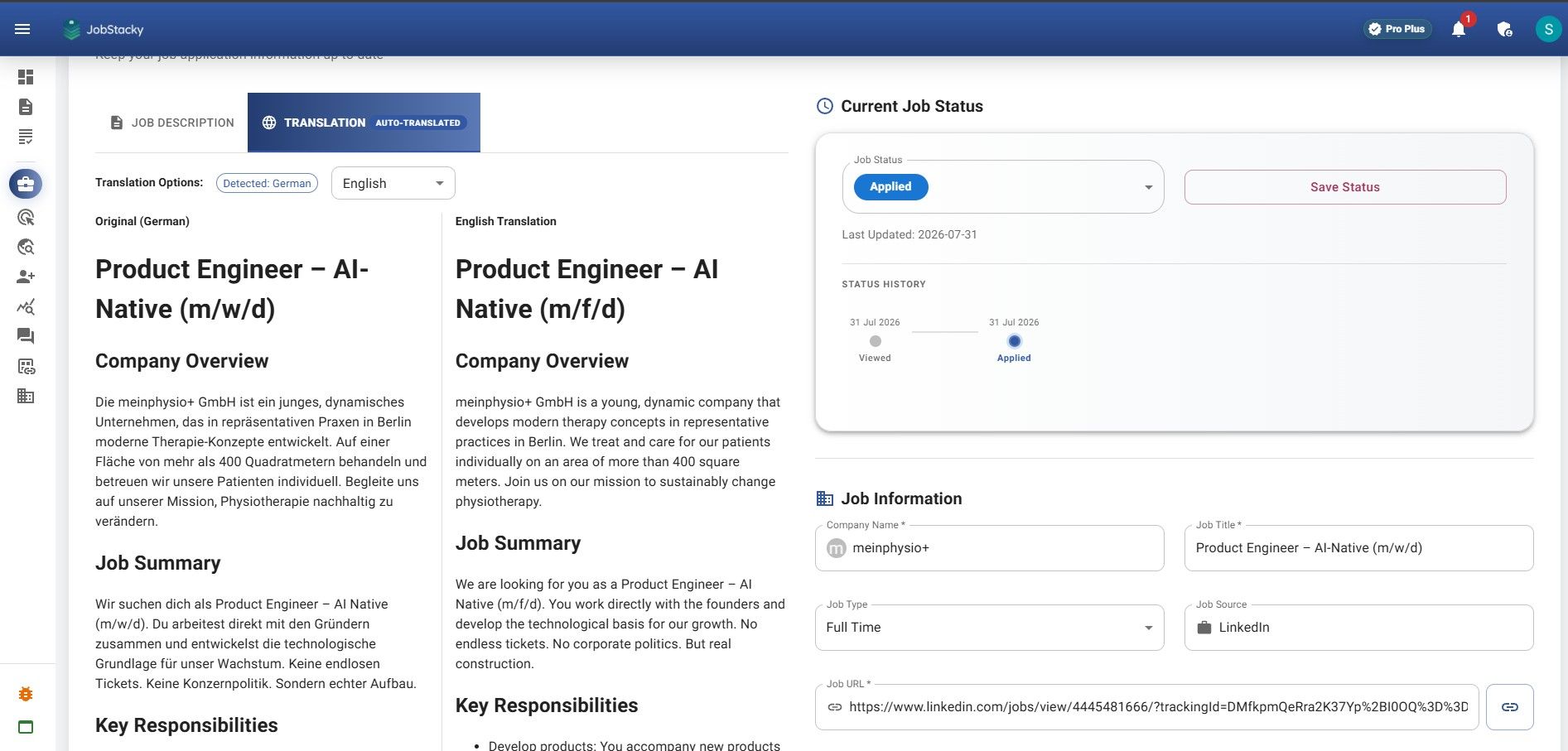
JobStacky Job Application Tracker - Job Description Auto translate to English
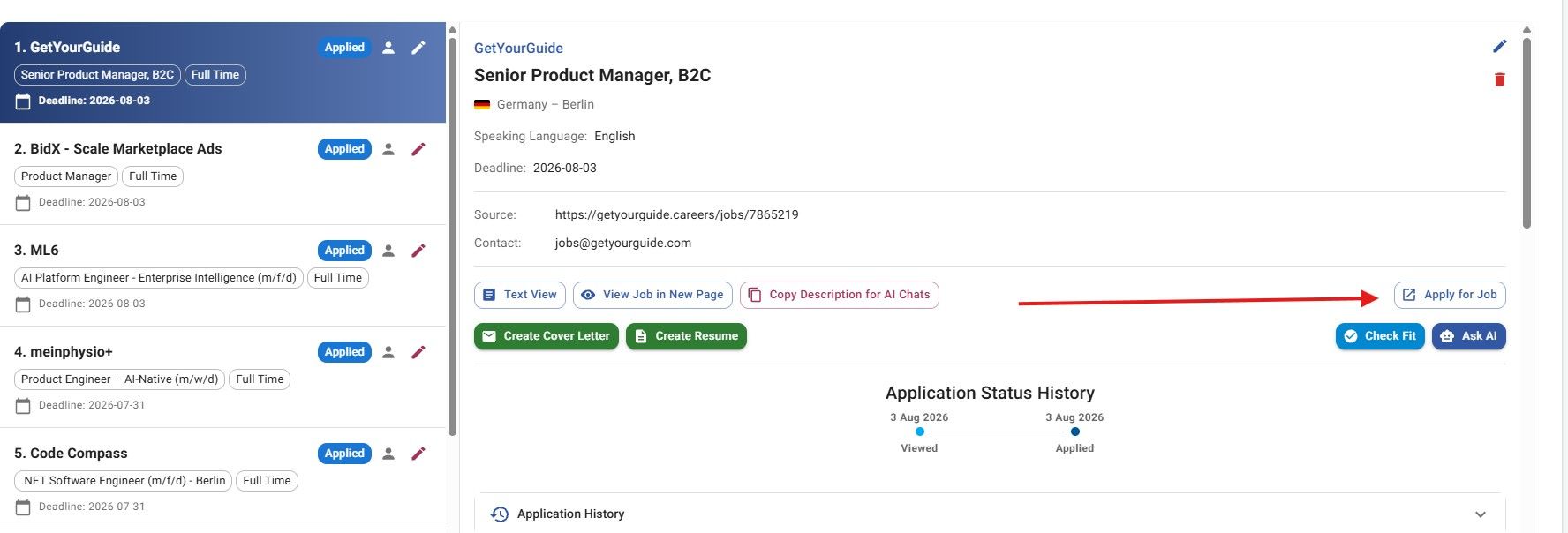
JobStacky Job Application Tracker - Visit the job page directly
You can see company stats directly in the job:
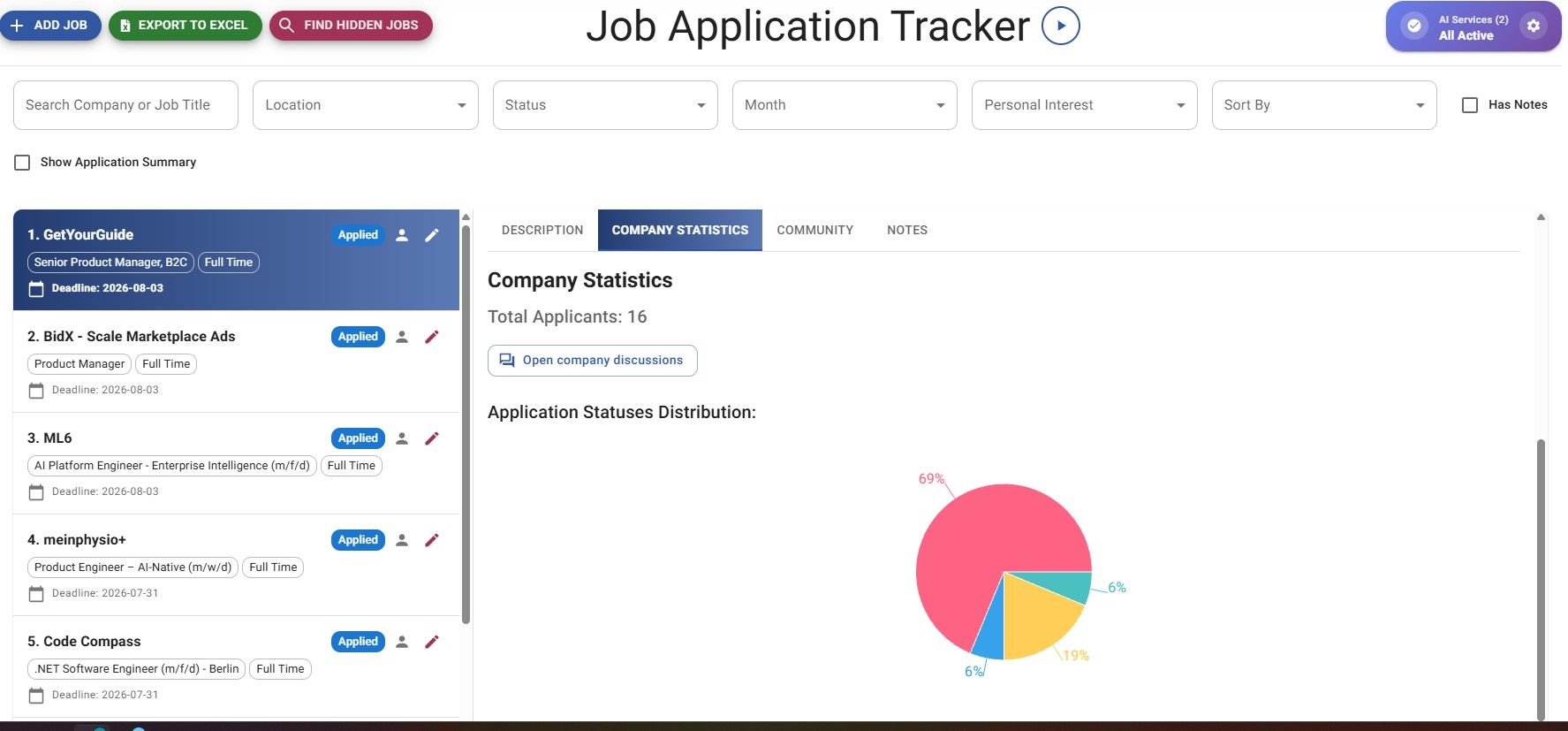
JobStacky Job Application Tracker - Company Statistics
You can add notes, which can also serve as reminders for a follow-up or an interview:
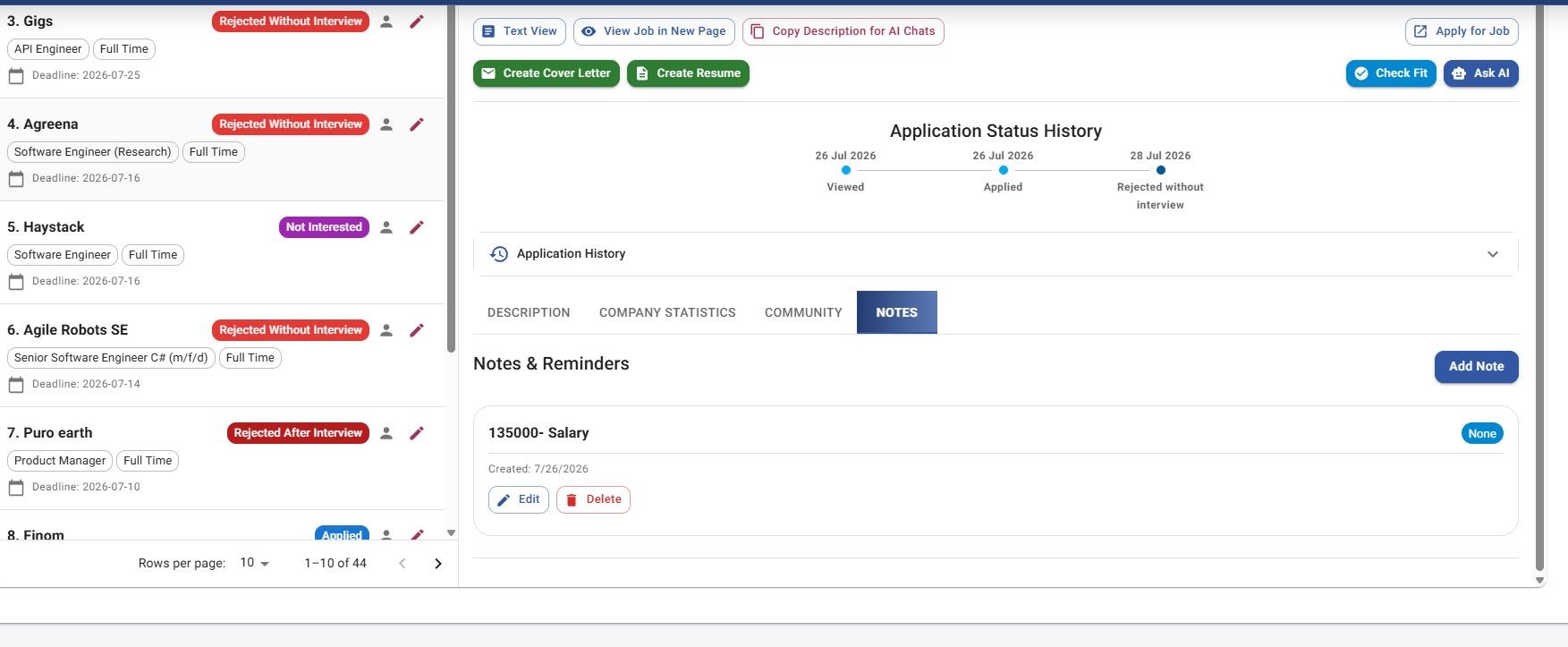
JobStakcy Job Application Tracker - Notes
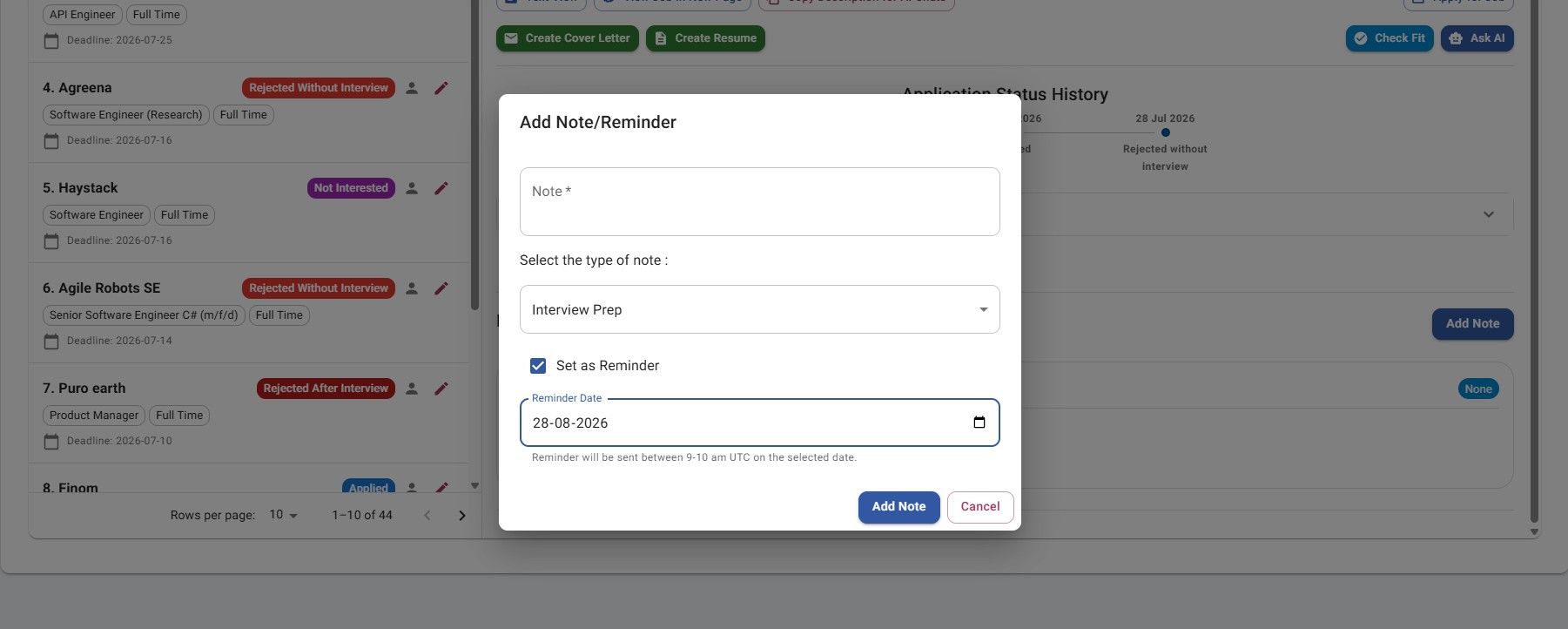
JobStacky Job Application - Notes follow - up reminder
You can also filter your whole list by company, location, status, month, personal interest, or notes, and sort however works best for you.
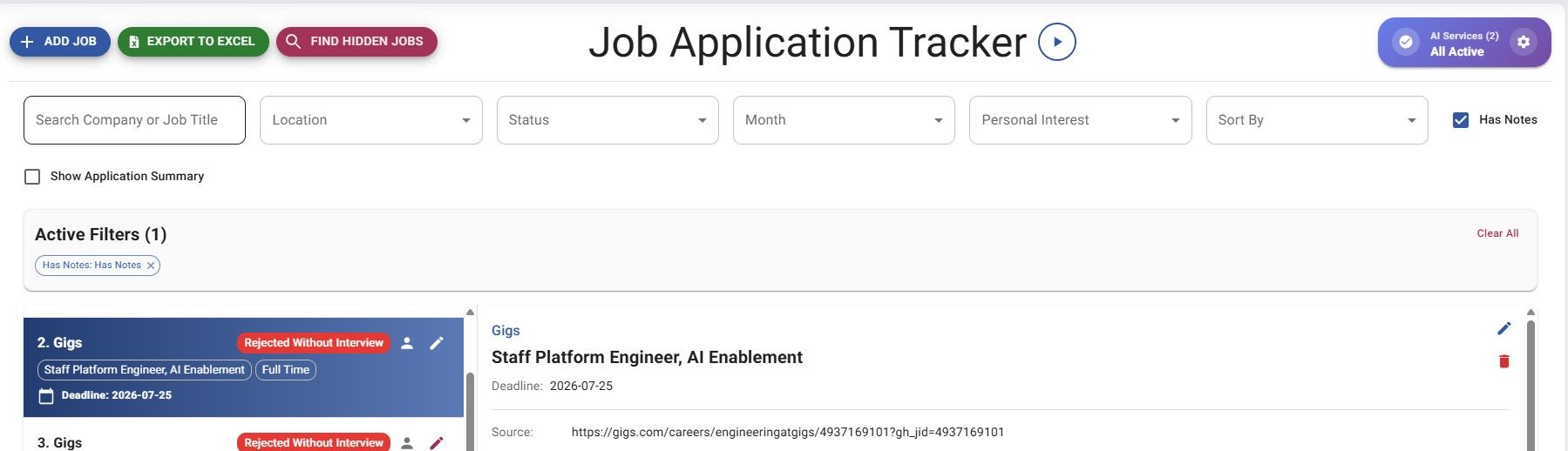
JobStacky Job Application - Filter options
You can copy the job description by clicking Copy Description for AI Chat, and copy your resume data by clicking Copy for AI. Paste either into Claude, ChatGPT, or any LLM to help modify your CV:
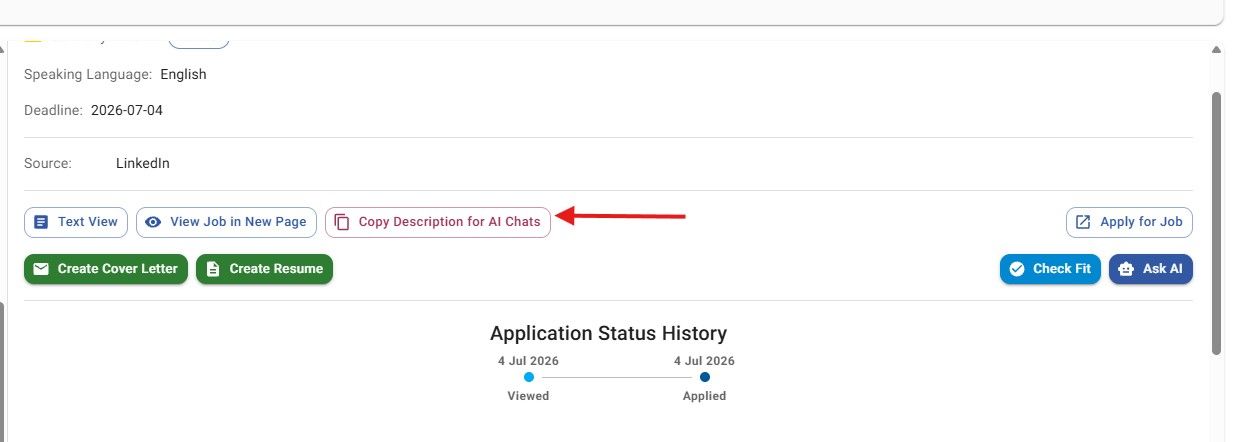
JobStacky Job Application - Copy Description for AI Chats
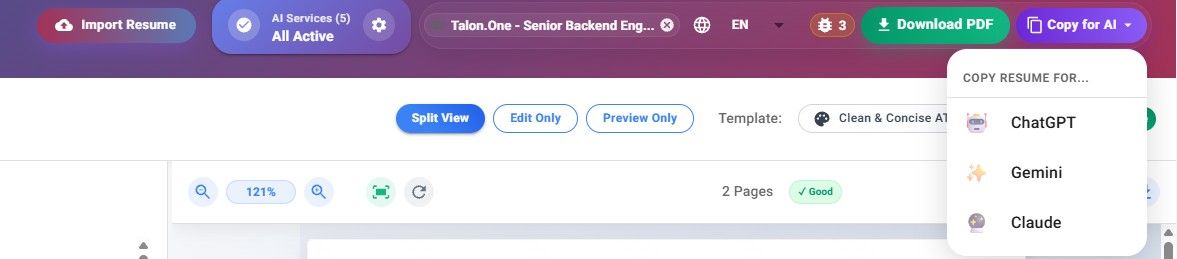
JobStacky Job Application - Copy resume data for AI chats
You can also contribute to a company discussion directly from the Job Tracker page, for example: interview experience, hiring update, referral request, application timeline, or general discussion.
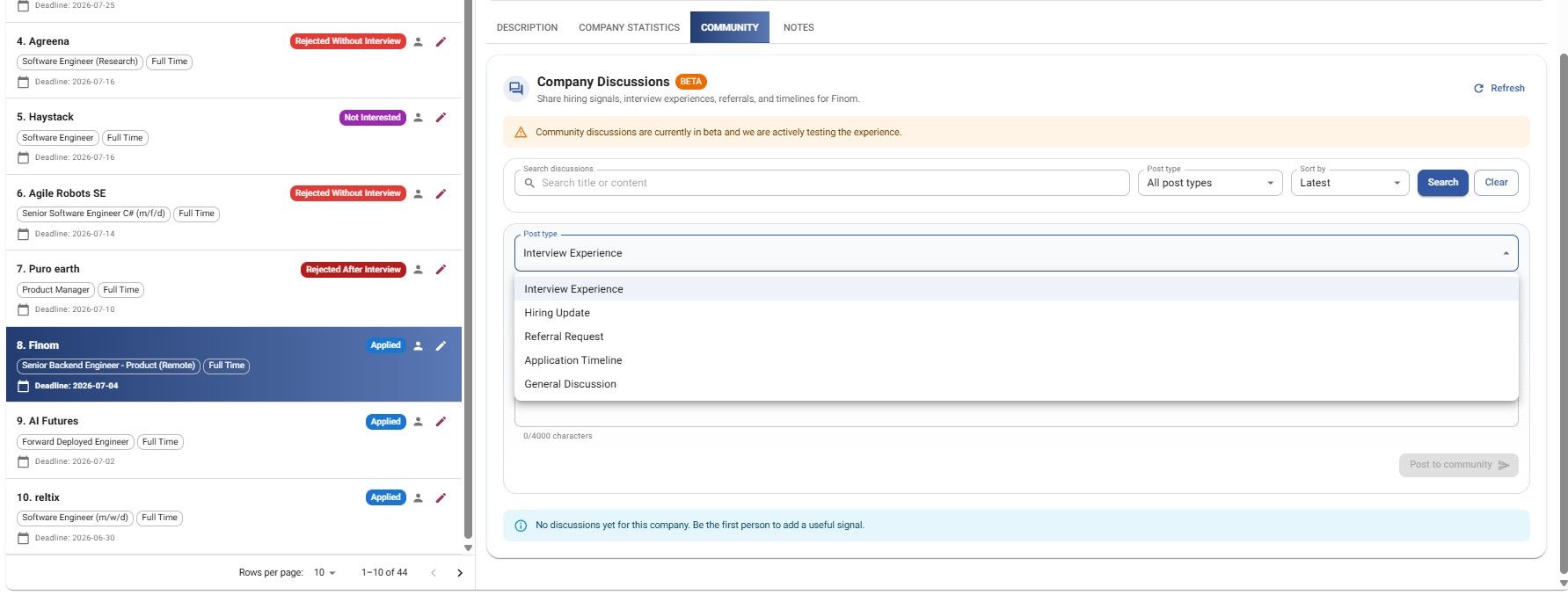
JobStacky Job Application - Company disccusion from Jobtracker page
You can also use Check Fit to see how well your profile matches a specific job. It provides detailed feedback by comparing your professional profile with the job description.
If your match score is below 70%, we recommend creating a tailored resume for that role to improve your chances of passing ATS screening and getting shortlisted.
Check Fit also shows you missing and matching elements, which helps you figure out what's missing from your CV.
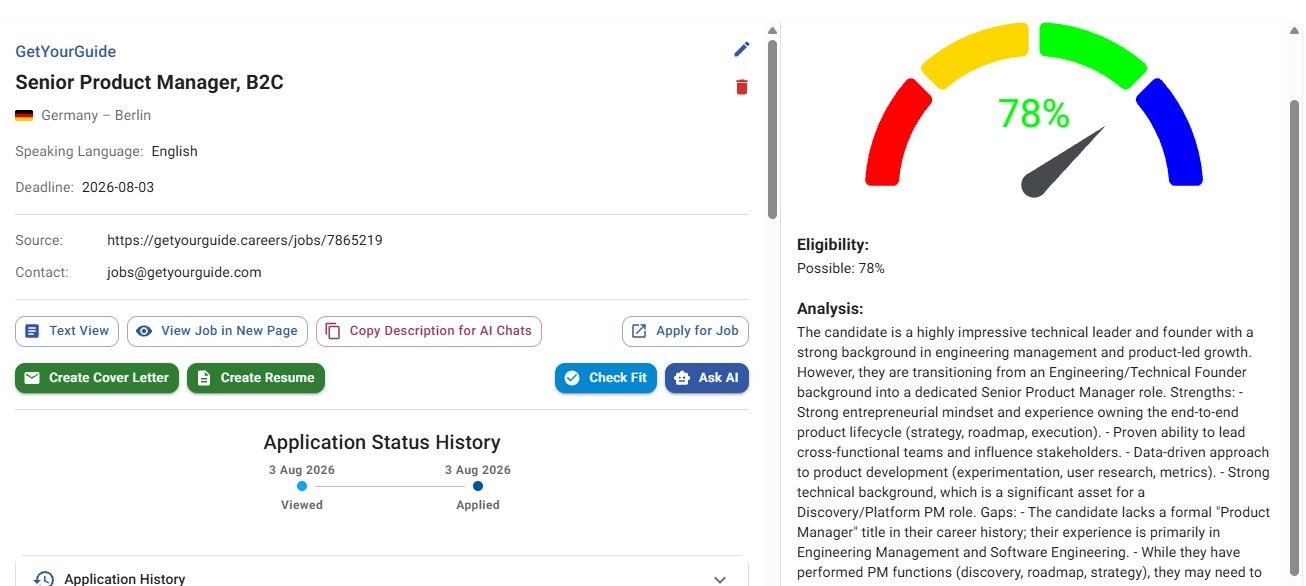
JobStacky Job Application Tracking - Check fit
Step 4: Set priorities
Tag each job with a priority label so you know where to focus:
- 🔥 Top Priority
- 🟢 High
- 🟡 Medium
- 🟣 Low
- ❌ Skip
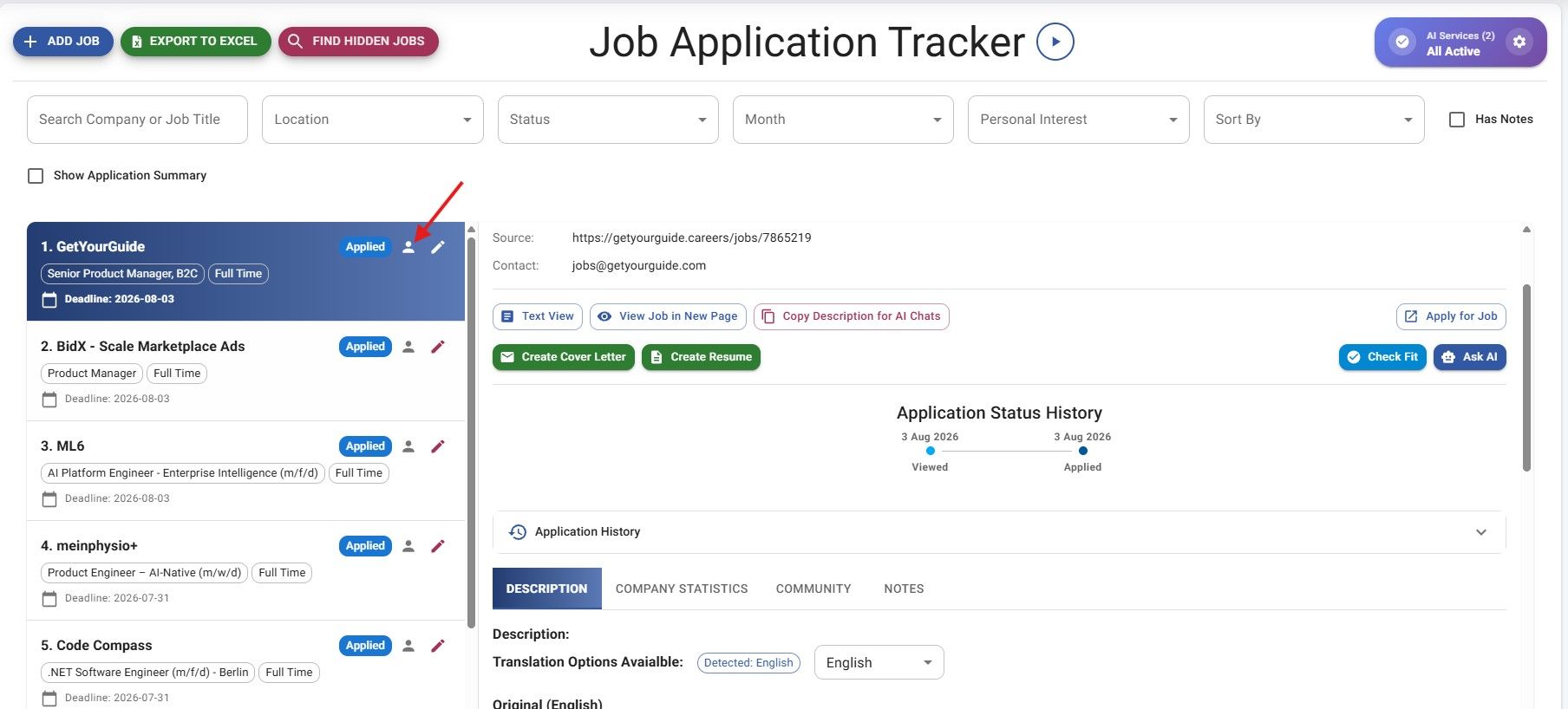
JobStacky Job Application Tracker - Set Priorities
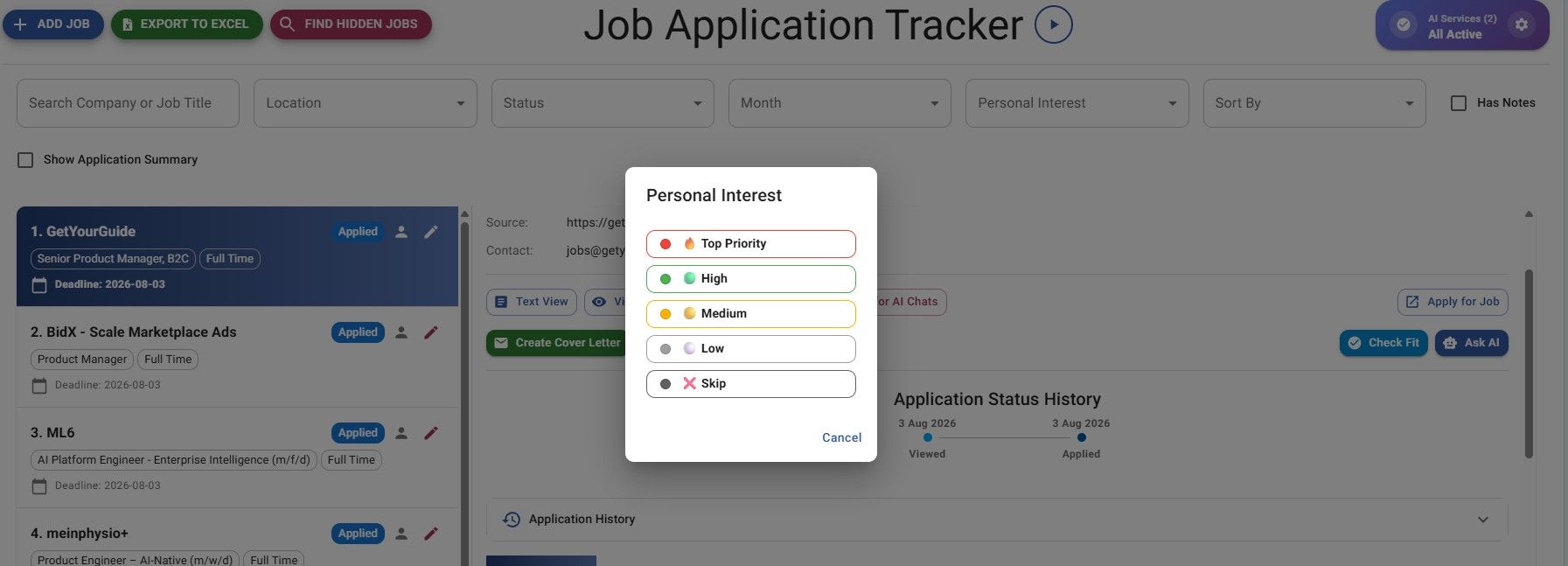
JobStacky Job Application tracker - Set priorities as per personal interest
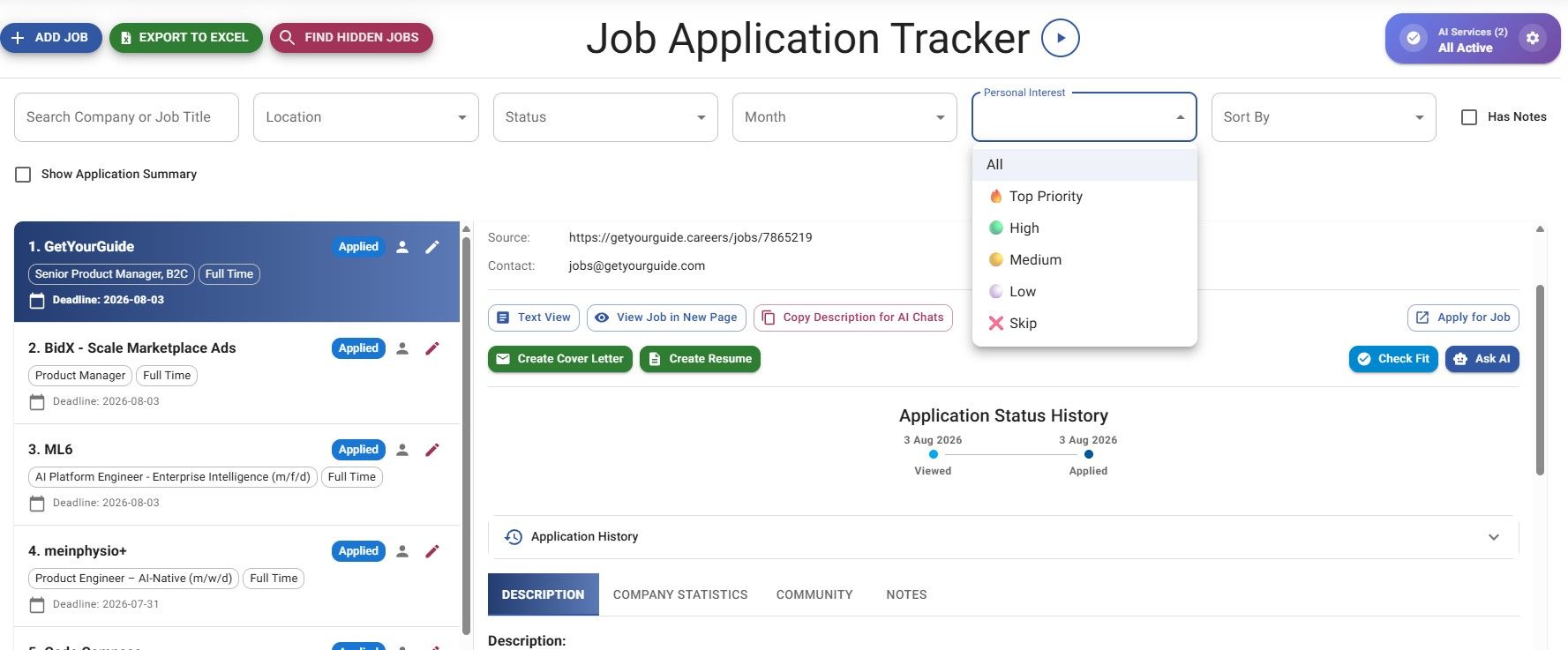
JobStacky Job Application - Filter by personal Interest
Step 5: Add notes and reminders
Every job supports private notes, things like "apply next Monday," "follow up after the interview," or "waiting on a recruiter reply."
You can also set reminders so JobStacky nudges you when it's time to act instead of relying on memory.
JobStacky Job Application - Notes follow - up reminder
Documents and Application Materials
Step 6: Generate a resume
Go to this link: https://jobstacky.com/resume-builder
Every job in your tracker can generate a tailored resume and a personalized cover letter built around that specific role.
Visit this link to learn more: https://jobstacky.com/blogs/how-to-build-an-ats-friendly-resume-with-jobstacky-resume-builder
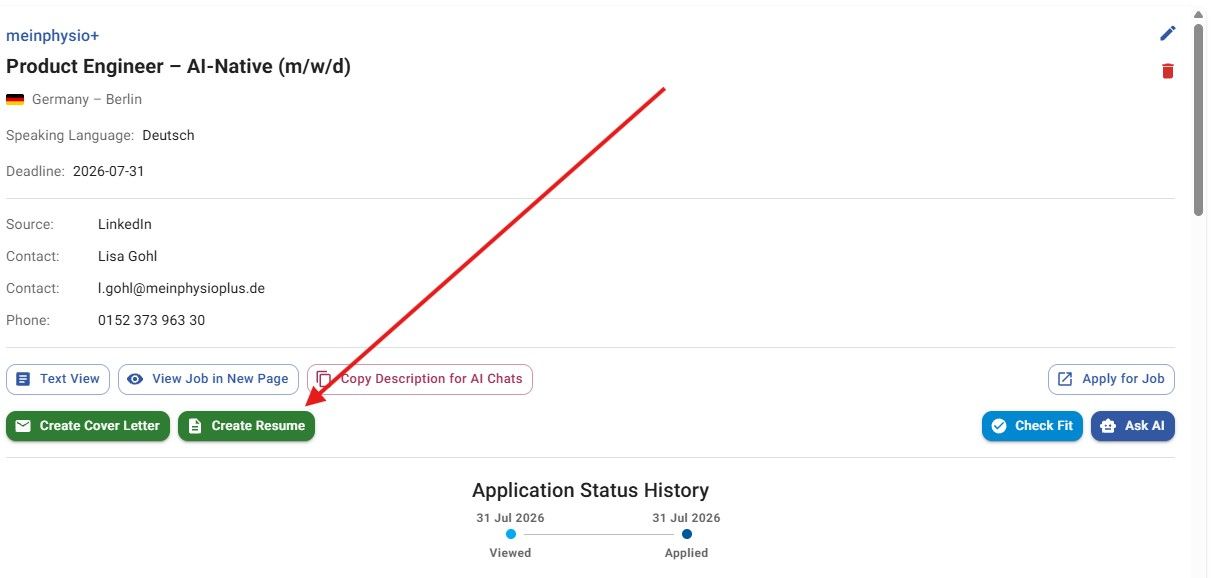
JobStacky Job Application - Create Resume from Job Description
Step 7: Create a motivation letter
Go to this link - > https://jobstacky.com/motivation-letter-creator
Go to this link: https://jobstacky.com/motivation-letter-creator
If the role calls for a motivation letter instead of a standard cover letter, the Motivation Letter Creator builds one based on the job you're applying to. You can edit the content, export it as a Word doc or PDF, and adjust it before sending.
Select the resume you created in Step 6, add any keywords or must-haves you want included, and choose the language you want the letter written in. Below, you can see the cover letter written in Norwegian.
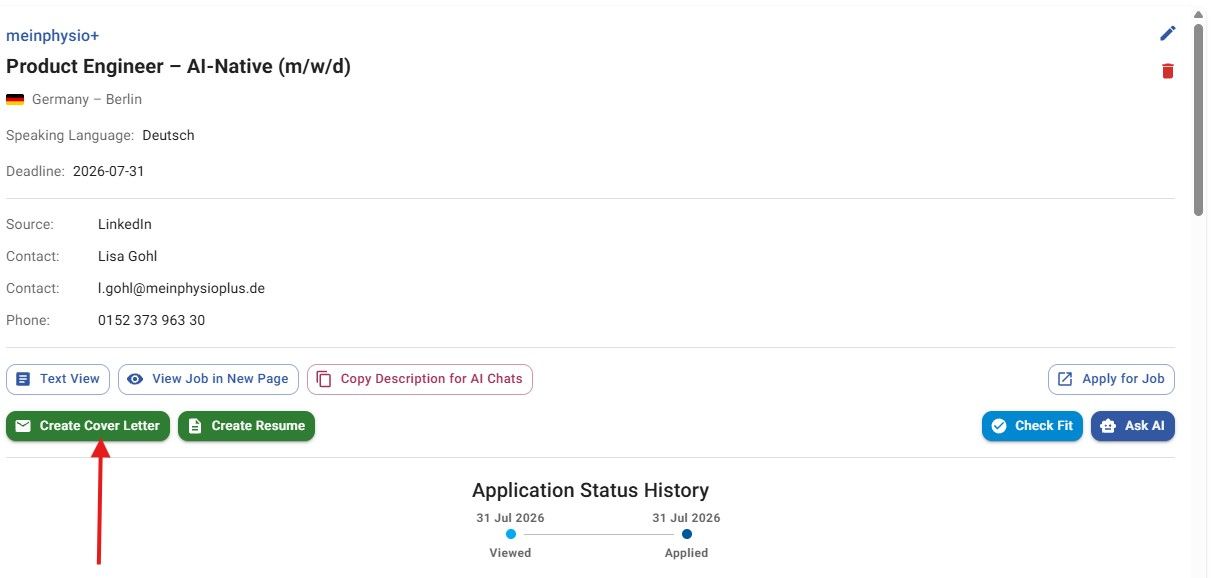
JobStacky Job Application - Create Cover letter from Job Description and Resume
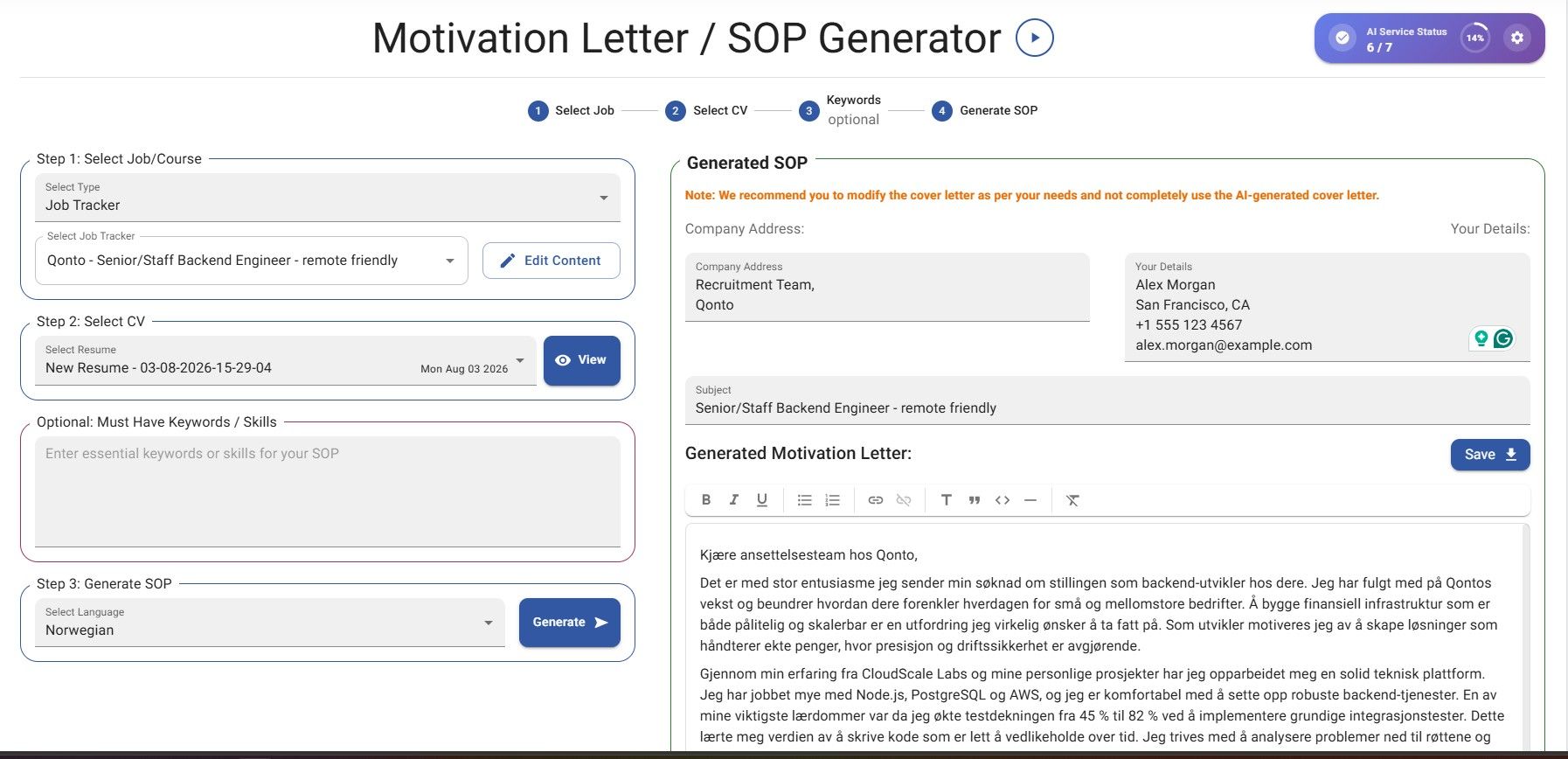
JobStacky Job Application - Create Cover letter in Any language
Finding Opportunities
Step 8: Use the Hidden Job Finder
Go to the following page: https://jobstacky.com/job-tools/hidden-job-finder
Not every job opening appears on the major job boards. JobStacky's Hidden Job Finder searches directly across company Applicant Tracking Systems (ATS) and LinkedIn, helping you discover opportunities that traditional job searches often miss.
Search by job title, location, posting date (such as the last 24 hours or last week), and platform to find the most relevant openings.
The Hidden Job Finder searches across platforms including:
- Workday (
myworkdayjobs.com) - Greenhouse
- Lever
- iCIMS
- SmartRecruiters
- Taleo
- Jobvite
- ADP Workforce Now
- BambooHR
- BrassRing
- Breezy HR
- Bullhorn
- JazzHR
- JobDiva
- Personio
- SAP SuccessFactors
- Ashby
- Monster
With one search, you can uncover opportunities posted directly on company career portals before you find them elsewhere.
You can save up to five searches and rerun them with a single click whenever you want fresh results.
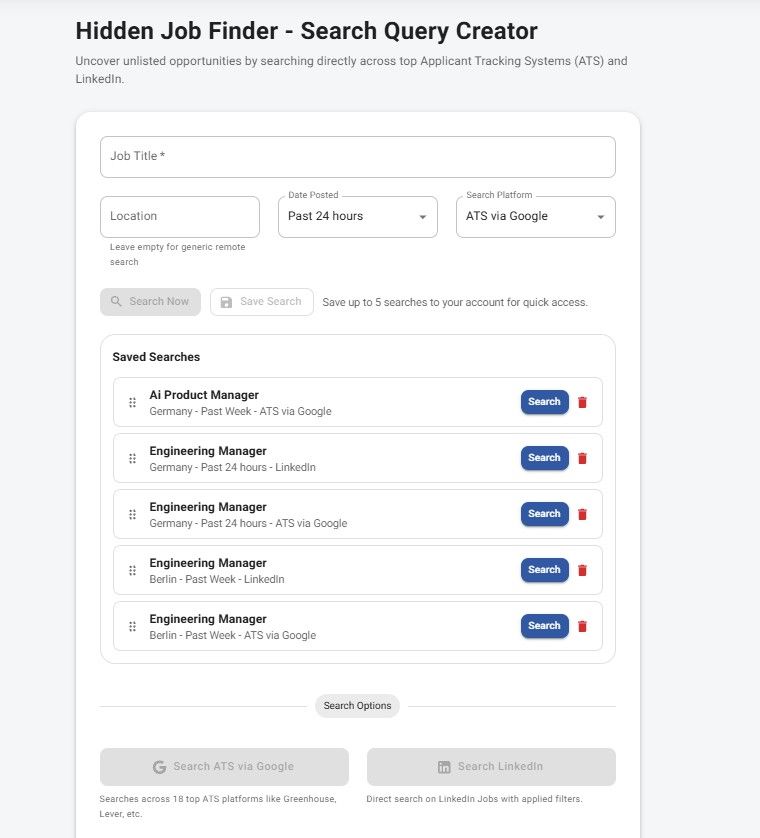
JobStacky Job Application - Hidden job finder
Step 9: Optimize your LinkedIn profile
Go to this link → https://jobstacky.com/linkedin-optimization
JobStacky's AI reviews your LinkedIn profile and gives suggestions on your headline, About section, skills, and experience, along with general visibility improvements. You can also point it at a specific job from your tracker to get recommendations tailored to that role.
Step 10: Browse company discussions
Go to this link: https://jobstacky.com/discussions
The community discussion space is where members share interview experiences, hiring timelines, referral info, company updates, and general recruiting insights. You can read, search, filter by category, or contribute your own experience. All reviews are anonymous; only the admin can see who posted them.
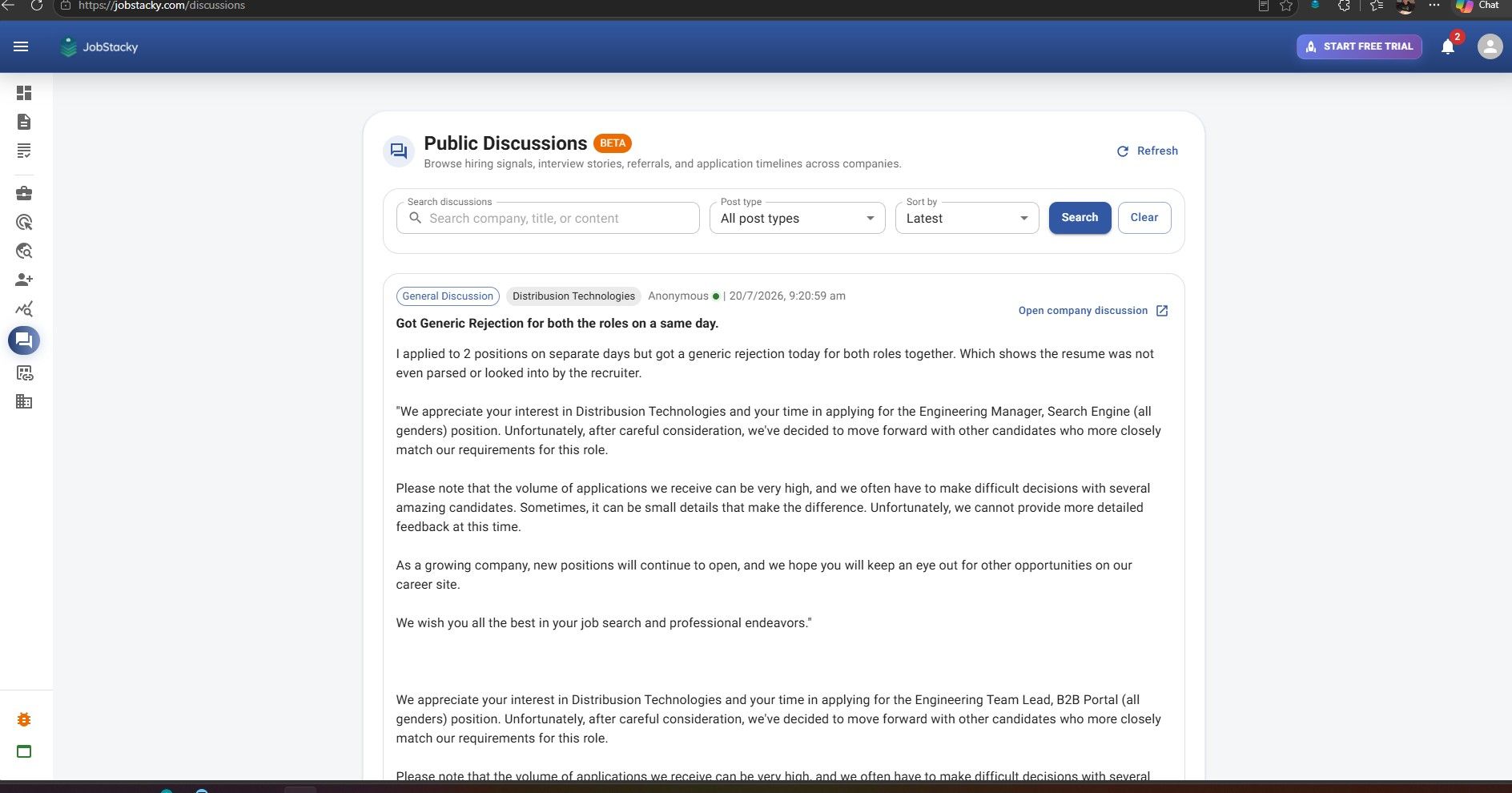
JobStacky Job Application tracker - Public Discussion
Step 11: Explore community jobs
The Jobs section shows what other JobStacky users are currently tracking, so you can see trending postings and which companies people are applying to, then add anything relevant straight into your own tracker.
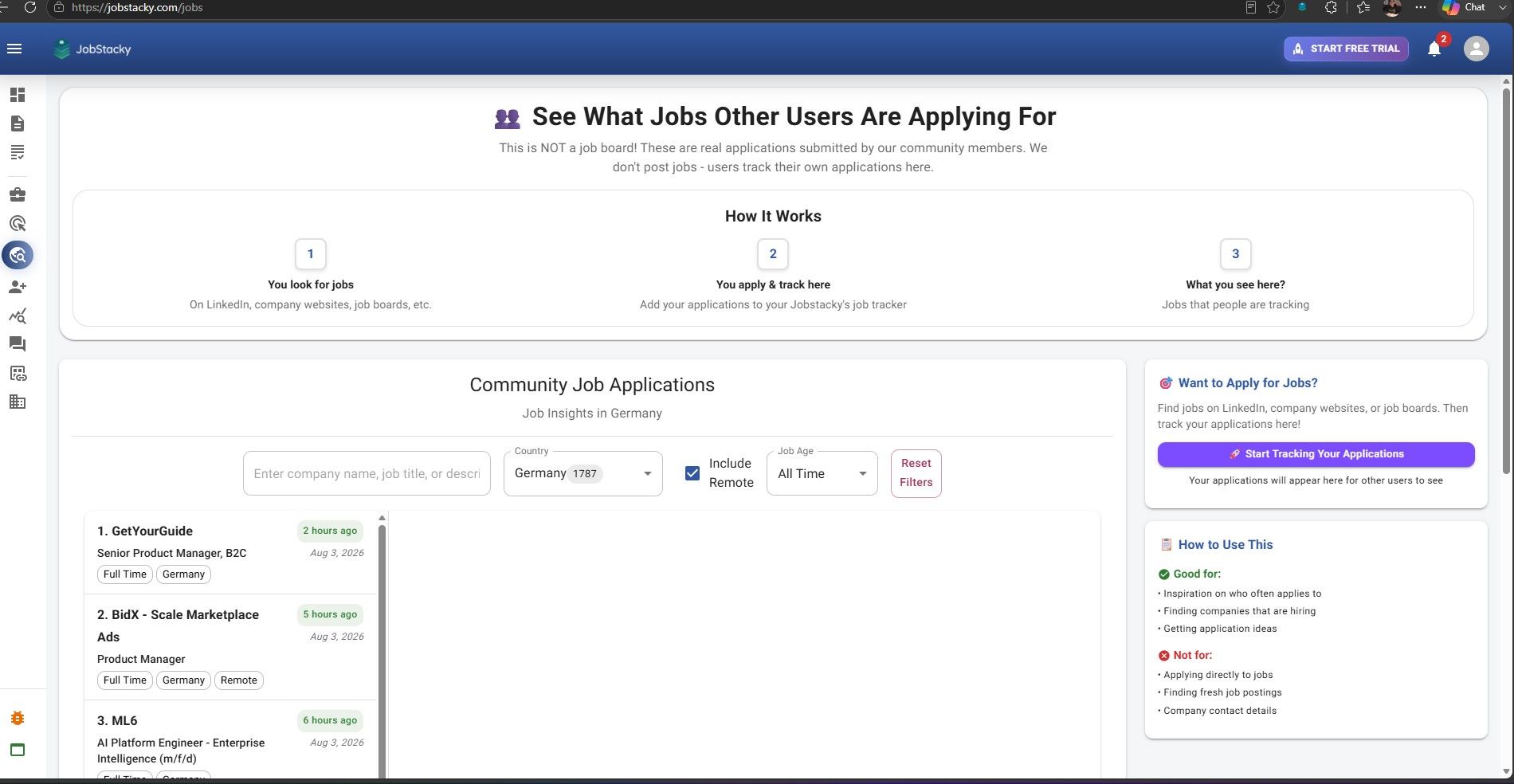
JobStacky Job Application Tracker - See where people are applying to
Step 12: Check recruiting companies
This section shows real-time hiring activity across tracked companies: who's scheduling interviews, moving candidates through their pipeline, or hiring at a higher volume. It's a good way to focus your energy on companies that are actually hiring right now instead of ones with stale listings.
Step 13: Use anonymous referrals
The referral platform lets community members refer candidates without exposing personal details. Every resume follows the same standard format, which keeps referrals consistent and easier to evaluate. You can track referral status and progress right alongside the rest of your applications, since it's all tied into your tracker.
Tools and Utilities
Step 14: Merge PDFs
Need to combine a resume, cover letter, certificates, or a portfolio into one file before applying? The built-in PDF Merge tool does it right in your browser. Everything happens locally; your files never get uploaded to JobStacky's servers.
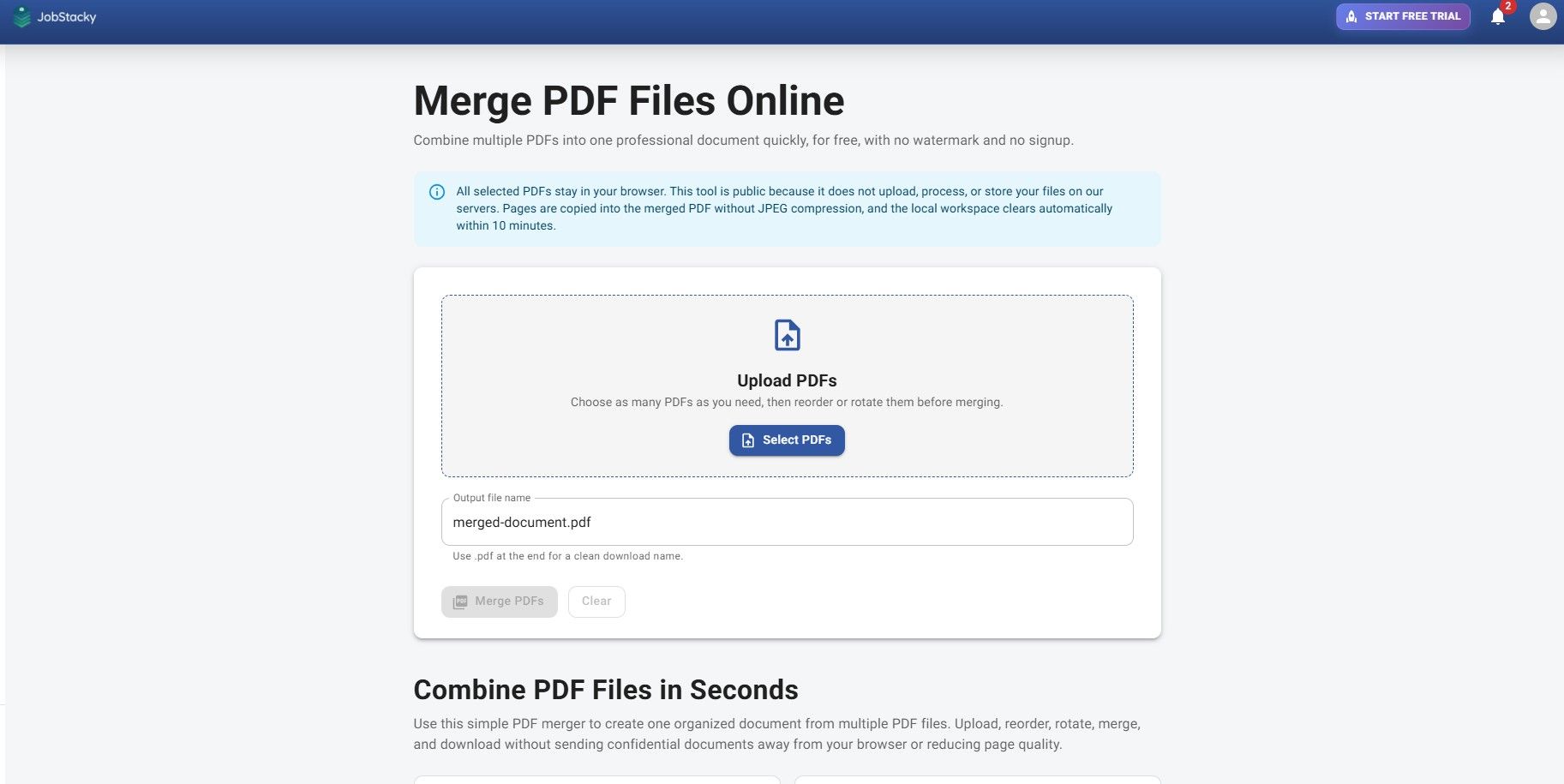
JobStacky Job Application Tracker - Merge PDF Files locally
Step 15: Save quick links
Quick Links stores the URLs you use most often (LinkedIn, GitHub, your portfolio, personal site, work samples), so you're not hunting for them every time. It also connects with the Chrome Extension, which makes filling out application forms faster.
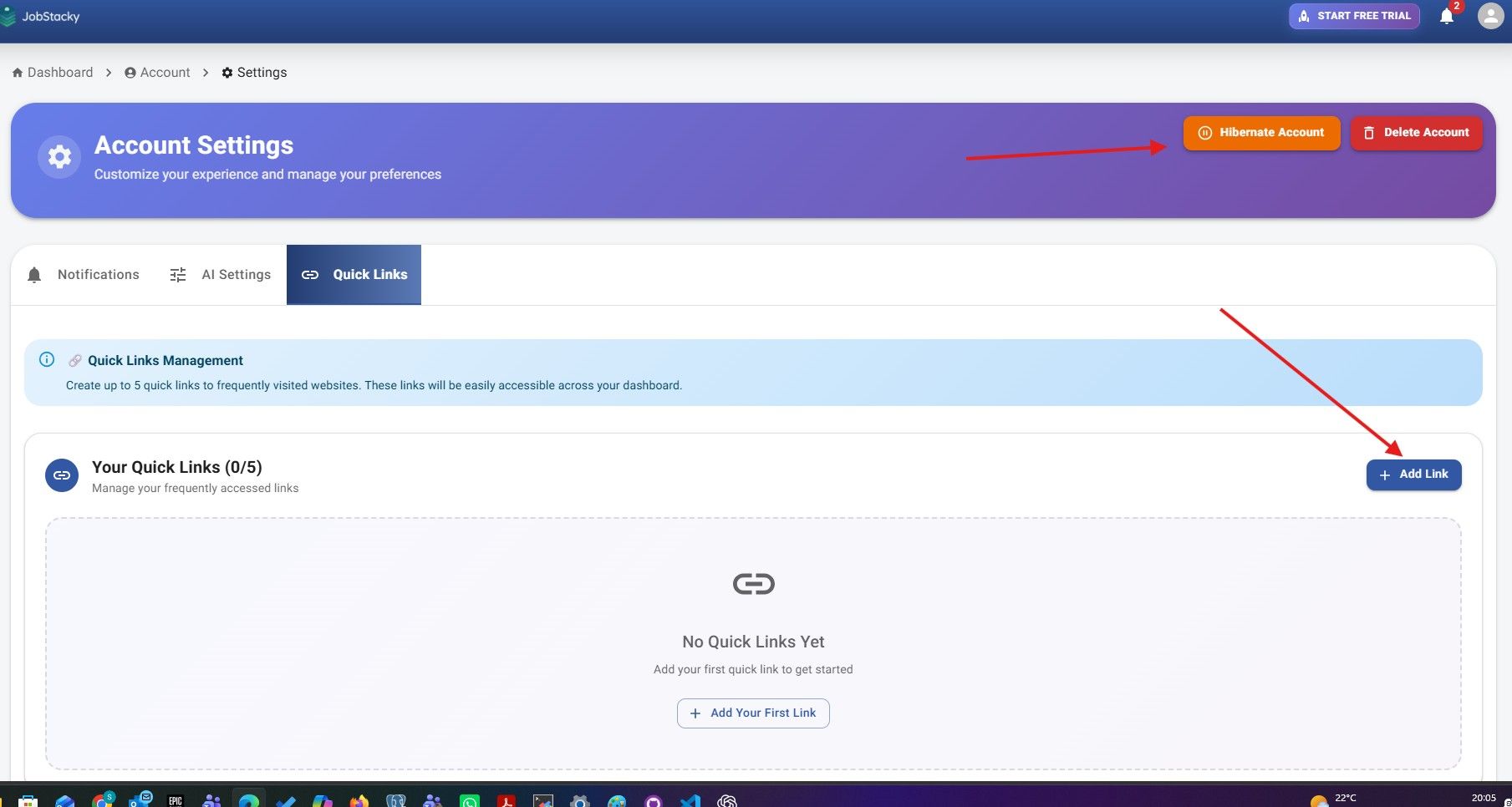
JobStacky Job Application Tracker : Quick links and Hibernate account
Step 16: Hibernate your account
Landed the job? Instead of deleting your account, hibernate it. That pauses notifications, job tracking, and search activity without losing anything. When you're ready to job hunt again, reactivate and pick up right where you left off.
Tracking Your Progress
Step 17: Review detailed analytics
Go to this page: https://jobstacky.com/dashboard/analytics
The Analytics page tracks your total applications, monthly and weekly activity, interviews, hiring trends, application timeline, company performance, and overall productivity, giving you a clear picture of how your search is evolving over time.
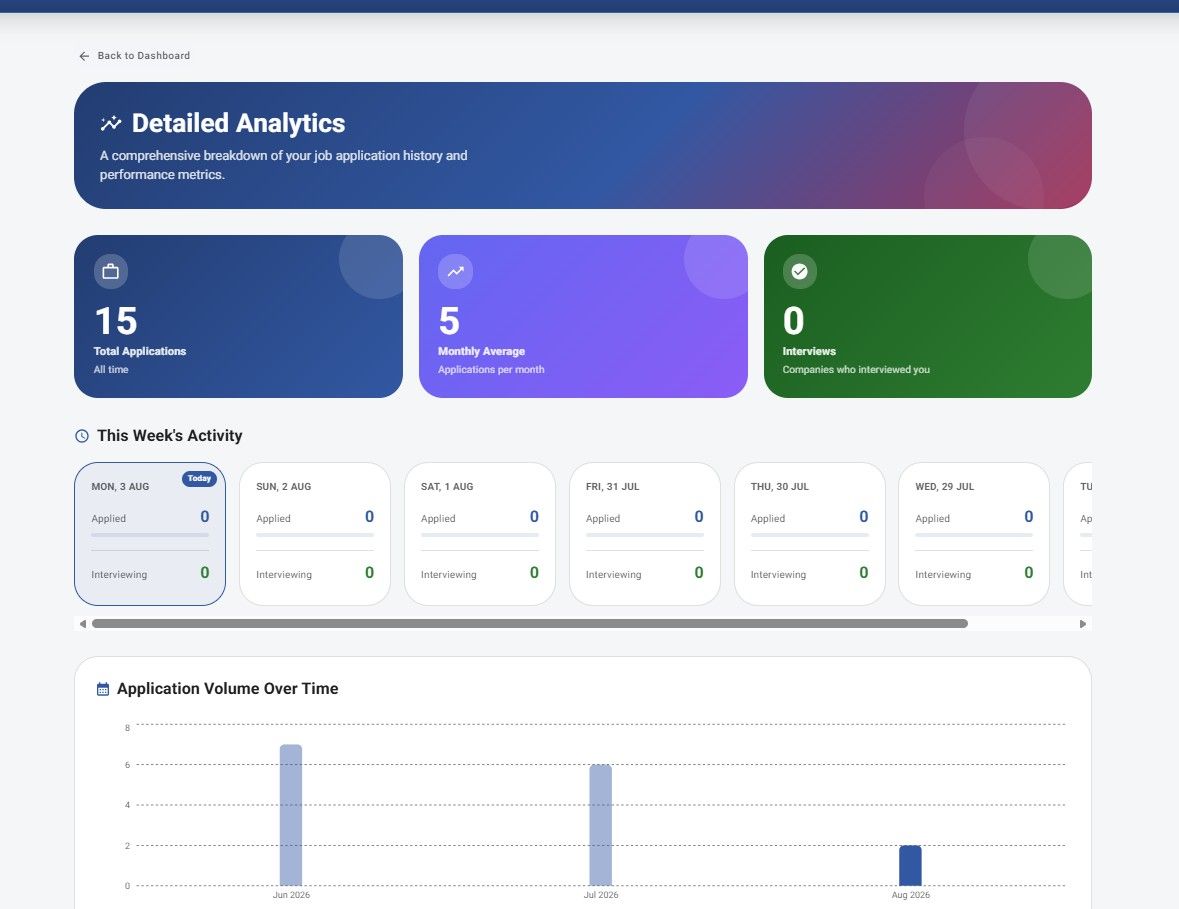
JobStacky Job Application Tracker : Detailed Analytics
You can also see a monthly breakdown and interview history:
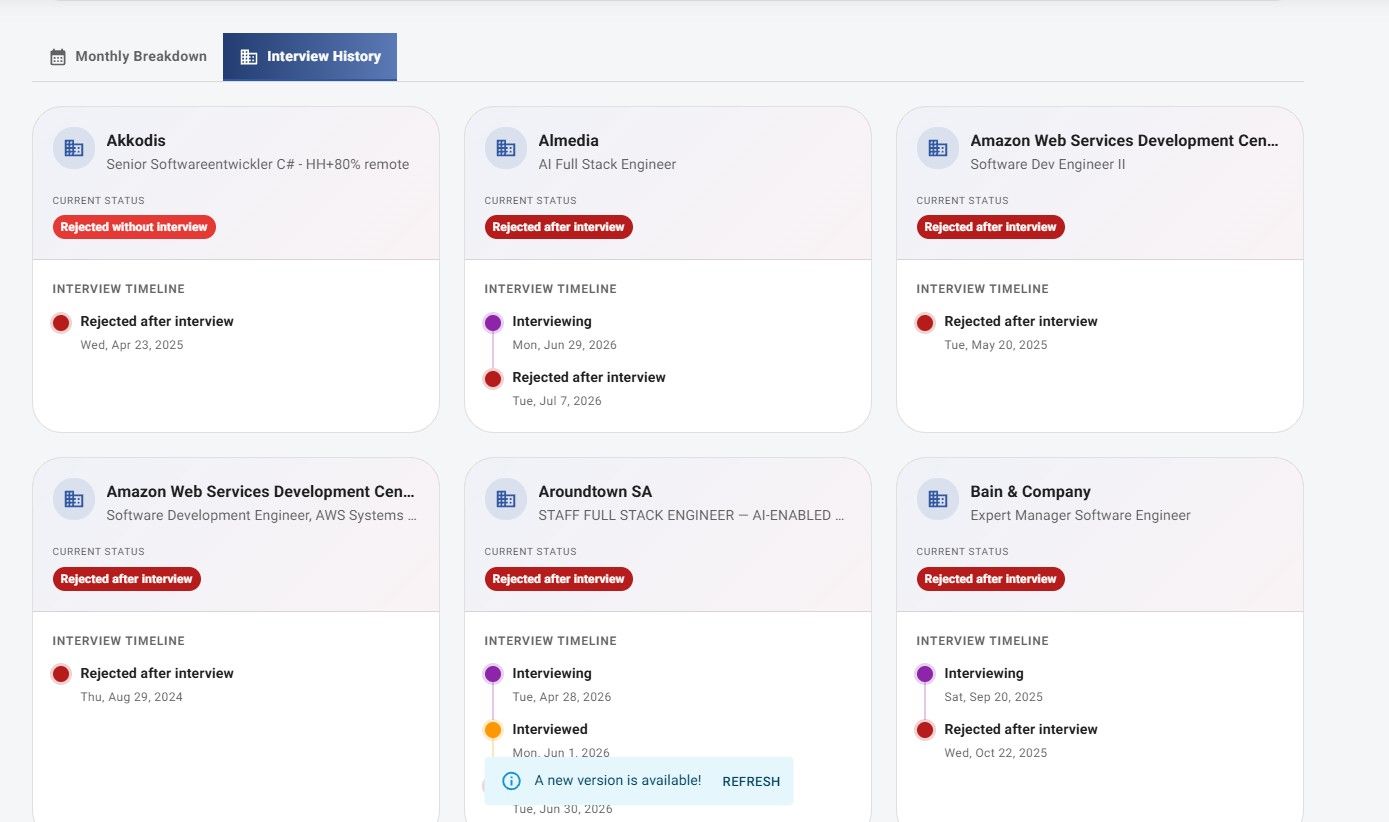
JobStacky Job Application Tracker - Monthly BreakDown and Interview History
Step 18: Check application insights
Go to this page: https://jobstacky.com/dashboard
Application Insights digs a level deeper: it flags duplicate applications, repeat companies, your top job sources, status progression, daily activity, and duplicate position alerts. It's less about counting applications and more about understanding how you're applying and where you can do better.
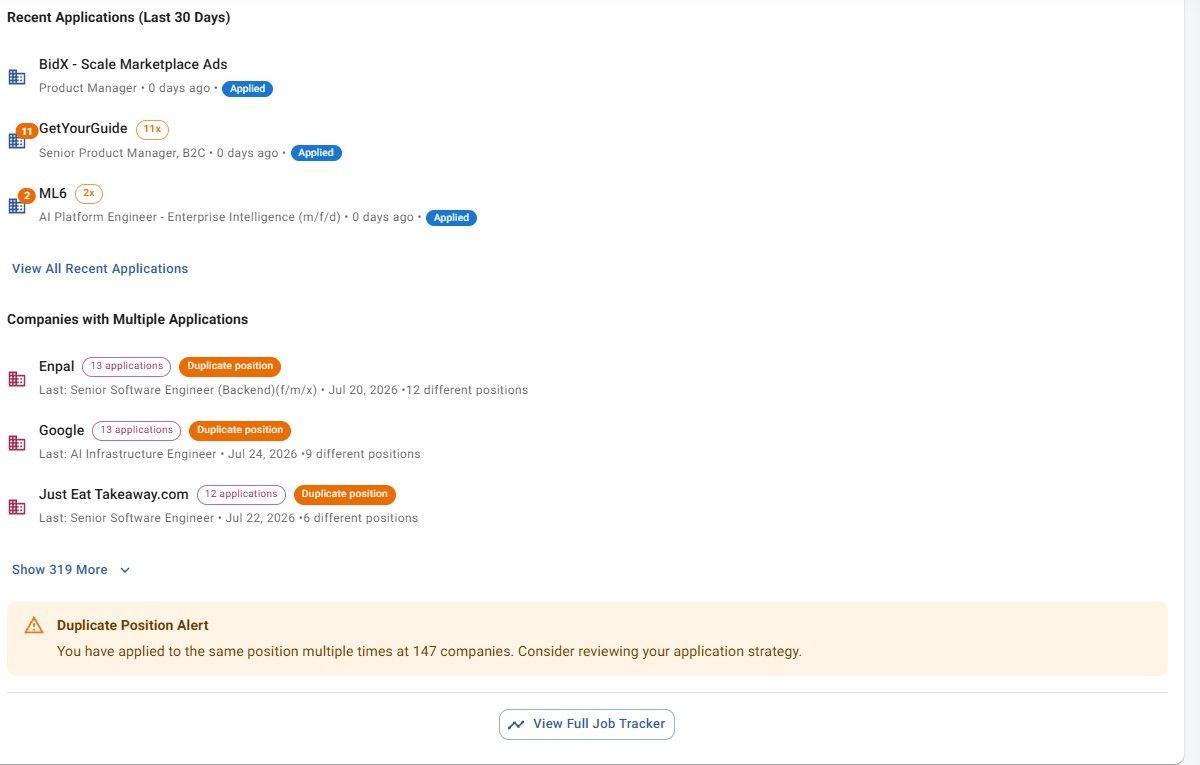
JobStacky Job Application Tracker : Application Insights
Frequently Asked Questions
Does JobStacky prevent duplicate applications?
Yes. Whenever you add a job, it checks your history for that company or role and flags it if you've applied before, so you can decide whether to proceed.
Can I generate application documents for any job in my tracker?
Yes. Any job you've added can generate a tailored resume, cover letter, or motivation letter built specifically for that role.
Is the PDF Merge tool safe to use with sensitive documents?
Yes. Merging happens entirely in your browser; nothing gets uploaded to JobStacky's servers.
What happens if I pause my job search?
You can hibernate your account instead of deleting it. This pauses tracking and notifications, and everything picks back up exactly where you left it once you reactivate.
JobStacky's job application tracker brings the entire job search — finding roles, applying, tracking, writing documents, and analyzing your progress — into one workspace, so nothing falls through the cracks.
Keyword Cluster
job application tracker, JobStacky job tracker, job search platform, track job applications, resume generator, cover letter generator, motivation letter creator, hidden job finder, LinkedIn optimization, ATS job search, anonymous job referrals, PDF merge tool, job search analytics, application insights, duplicate application checker, job search dashboard, community job board, recruiting companies tracker, job application management, career management platform
Start Tracking Your Job Applications
Organize every application, monitor interview progress, save notes, and manage your entire job search with JobStacky's Job Application Tracker.
Open Job Application Tracker