
How to Build an ATS-Friendly Resume with JobStacky's Resume Builder
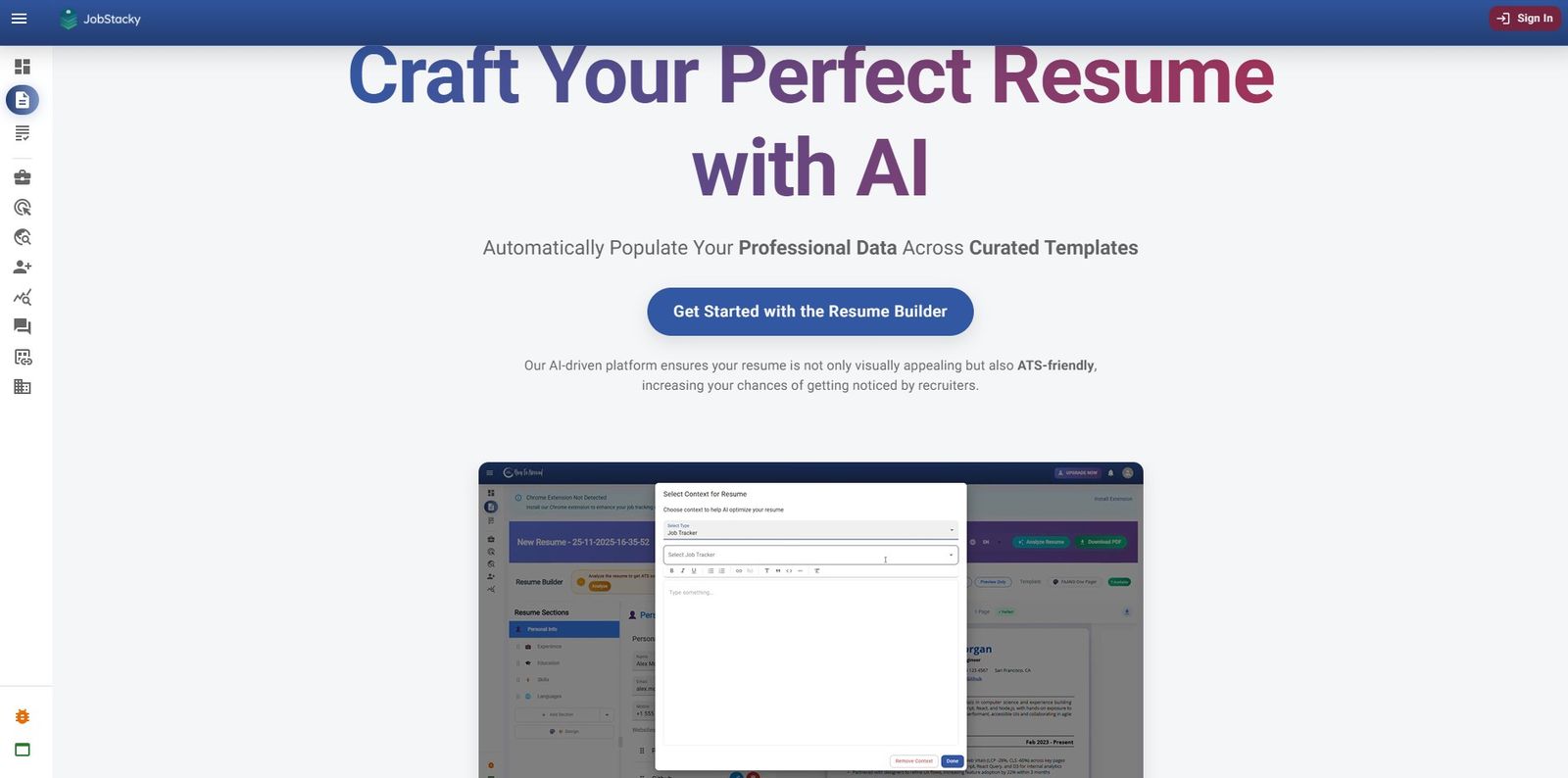
How to Build an ATS-Friendly Resume with JobStacky's Resume Builder
Building a resume shouldn't eat your whole afternoon.
Whether you're applying for an internship, a full-time role, or a job in another country, JobStacky's Resume Builder gets you from blank page to polished PDF in a few minutes, not a few hours.
Most resume tools nickel and dime you: pay for the good templates, pay for AI help, pay to actually download your PDF. JobStacky doesn't split things up like that. Everything you need to write, tailor, and check a resume lives in one place.
Here's how to use it, start to finish.
Getting Started
Step 1: Pick a template
Click Create Resume and you'll see a set of templates built for different industries and career stages.
From there:
- Name your resume
- Pick a template
- Choose whether to pull in your Professional Profile data or start with demo data
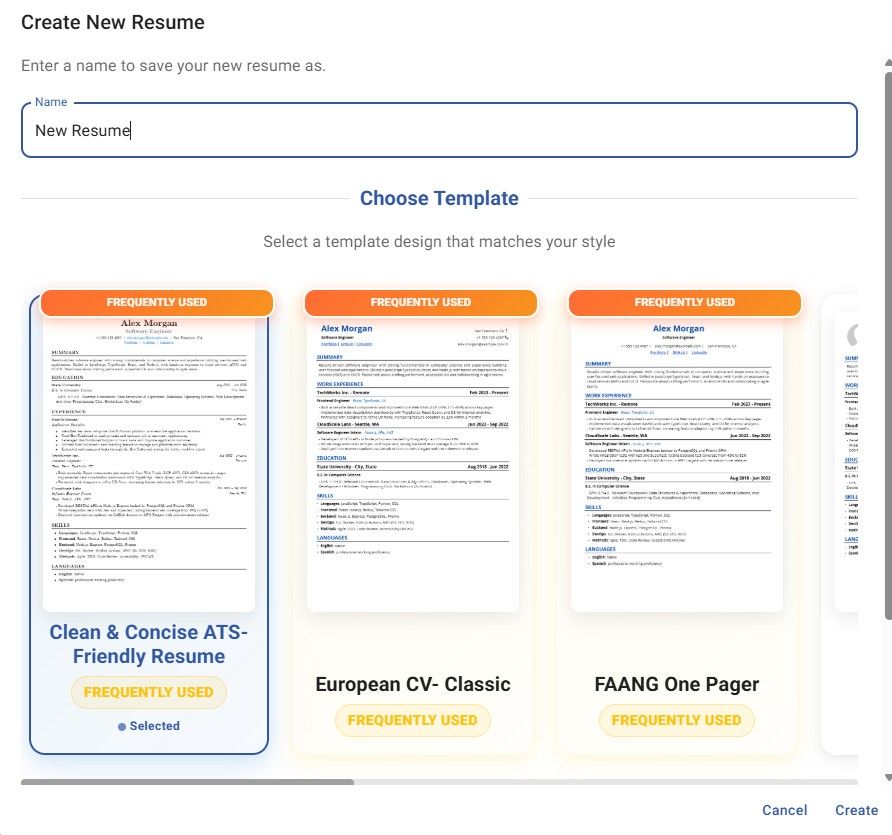
JobStacky Resume Name and Template type
If you filled out your profile when you signed up, JobStacky uses it to fill in your personal details, education, work history, languages, and skills automatically. Less retyping, more time actually applying.
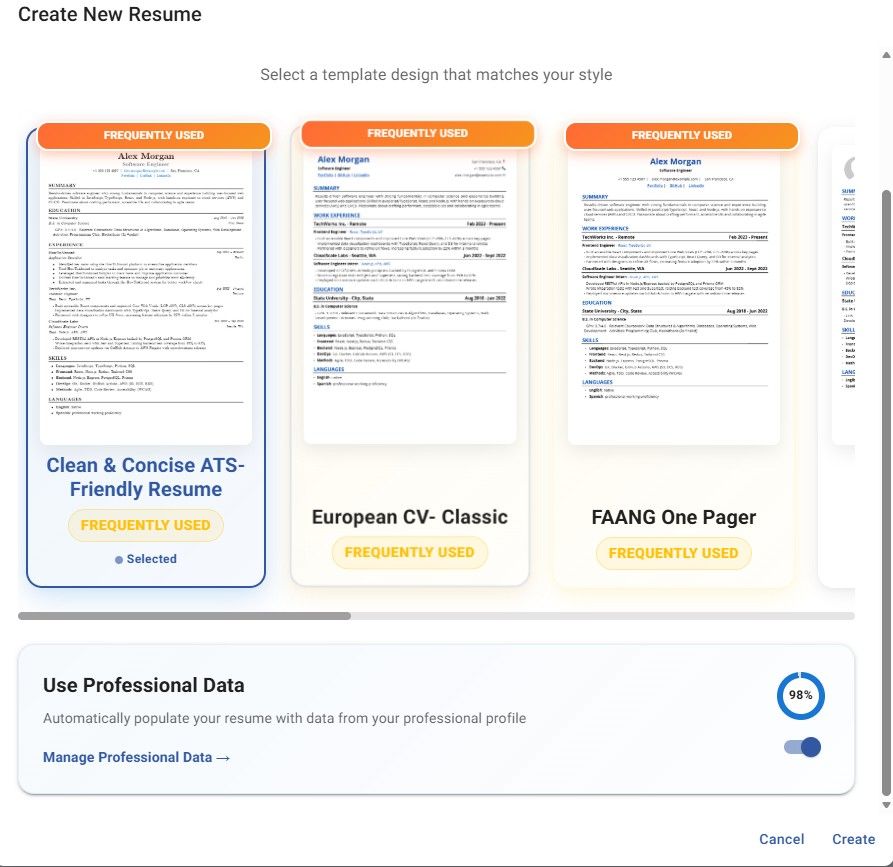
JobStacky Resume Builder Auto Fill Data from Professional Data
Want a clean slate instead? That's fine too. Start with the default and fill everything in yourself.
Step 2: Edit any section
Every part of the resume, your summary, education, work experience, skills, languages, has its own edit panel and a live preview next to it. Click edit, make your changes, hit save. You'll see the update instantly.
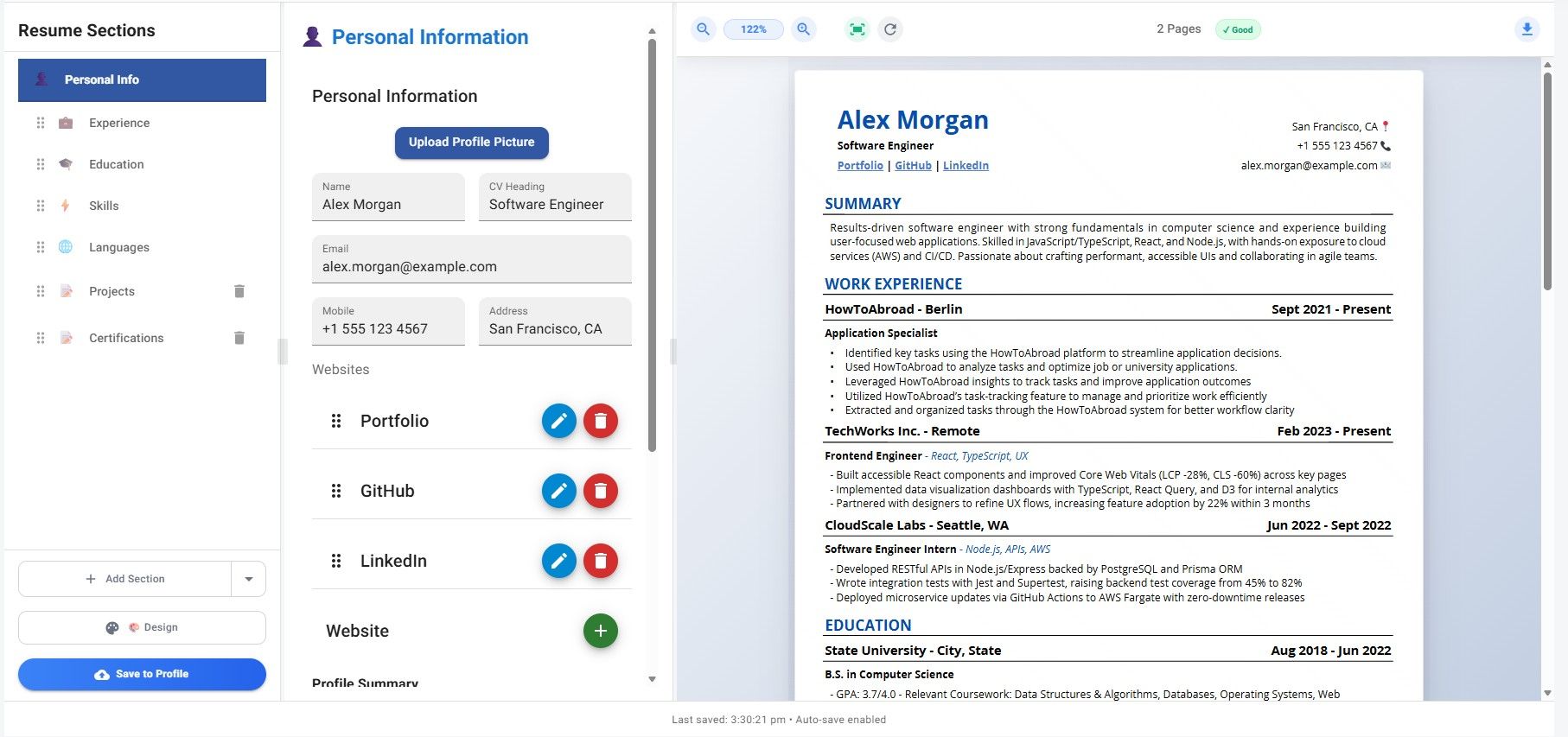
Jobstacky resume edit any section
Step 3: Switch templates whenever
Not happy with how it looks? Switch templates right inside the builder.
One thing worth knowing: changing templates resets custom design tweaks like spacing or fonts. Your content stays put, but any styling you added will need to be redone.
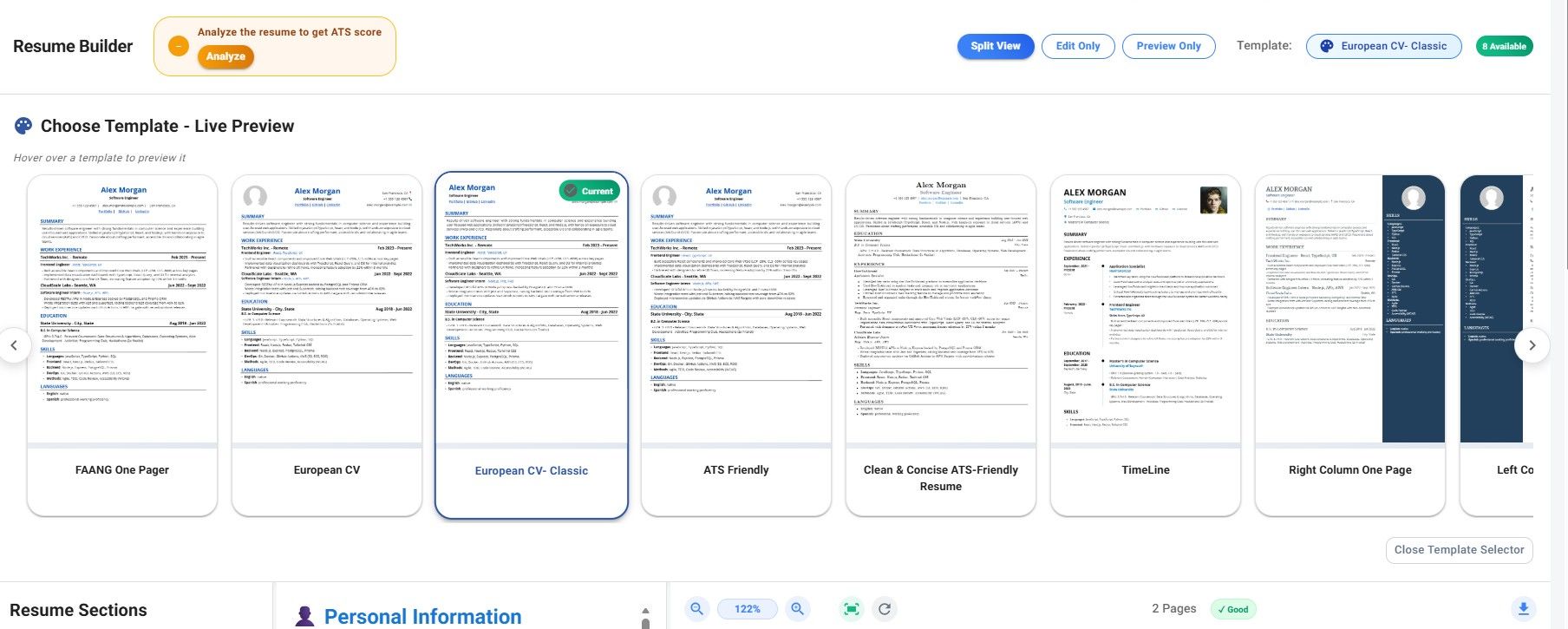
JobStacky Resume Builder template switcher
Tailoring Your Resume for Each Job
Step 4: Reorder sections to fit the job
Different employers care about different things. Maybe you want your experience section before education. Maybe skills should sit near the top. Maybe you're applying to a university and projects matter more than work history.
Whatever the reason, you can drag sections around and reorder them however makes sense for that specific application.
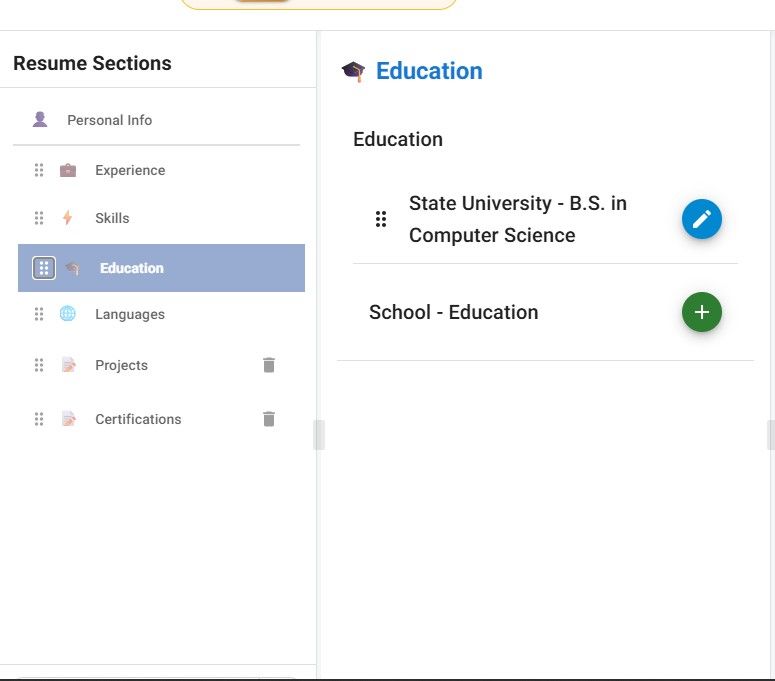
Jobstacky resume builder section reordering
Step 5: Set context for each job
A single resume rarely works for every application. JobStacky lets you set a "context" for whatever you're applying to, a specific job, a university program, or something custom.
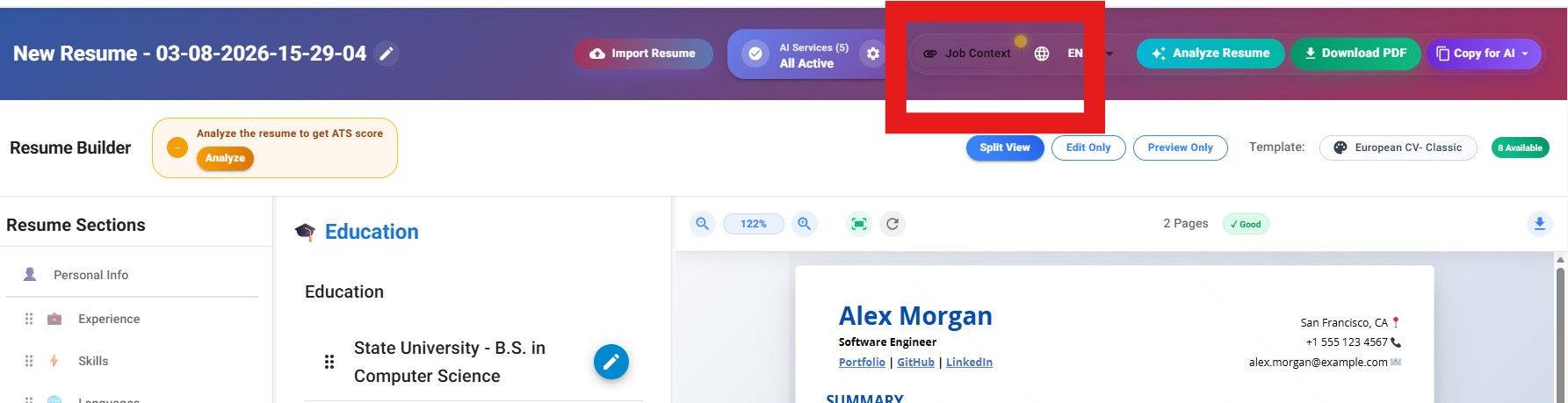
JobStacky Resume Builder context addition/ switching
If the job's already saved in your Job Tracker, just select it. Otherwise paste the job description in directly. Once that's set, every AI feature in the builder uses it to keep suggestions relevant.
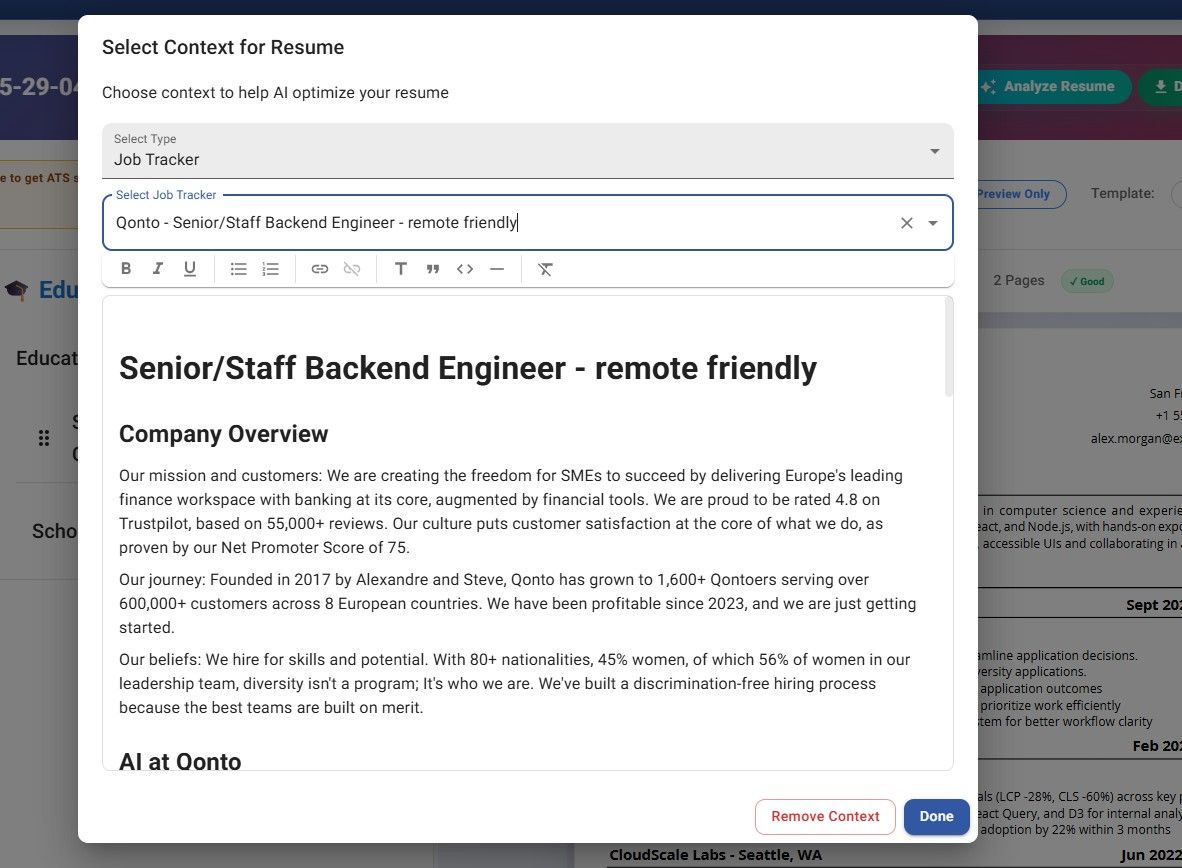
JobStacky Resume Builder Select context from JobStacky - Job Application Tracker
Step 6: Let AI rewrite the rough parts
Most sections have a Modify with AI button. Click Generate, and JobStacky rewrites that section based on your resume, the job description you set, and whatever language you're writing in. You can also edit the context for that particular section. For example, if you want it to reflect for some other job descriptions, you can also do that.
Always read through what it gives you. Edit anything that doesn't sound like you, then apply it.
This is where most of the time savings come from, you're not rewriting your experience bullets for every single job by hand.
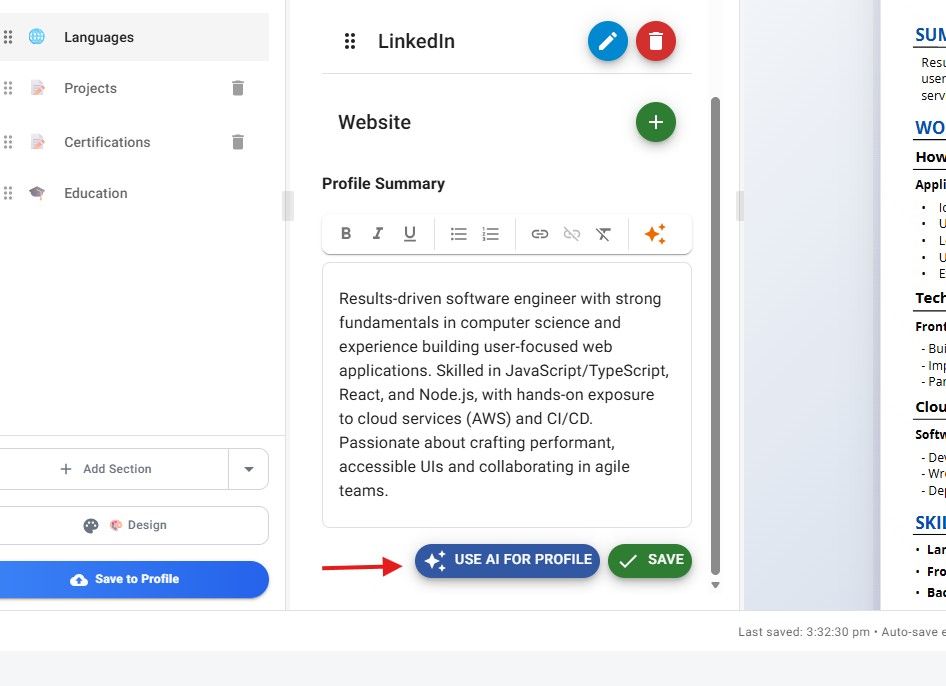
JobStacky Resume Builder Professional Summary Rewrite with AI
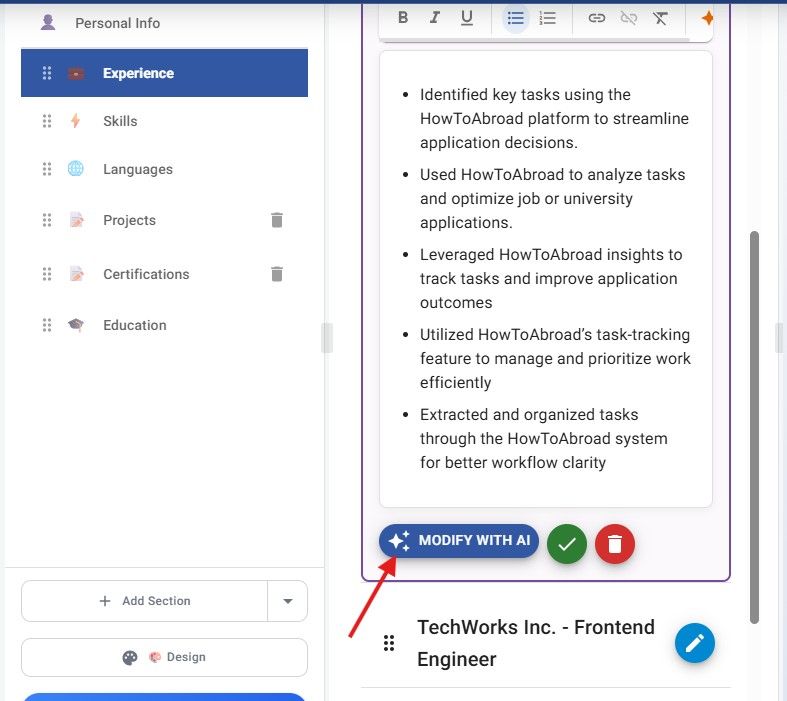
Jobstacky Resume Builder Modify the Experience with AI
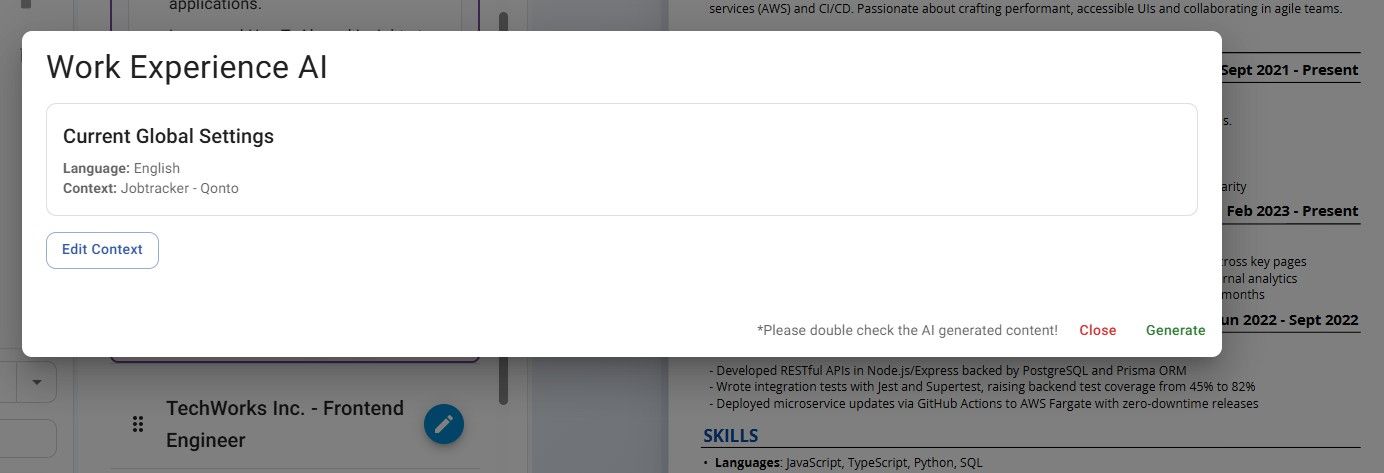
Jobstacky Resume Builder - Global Setting from Job Context from above
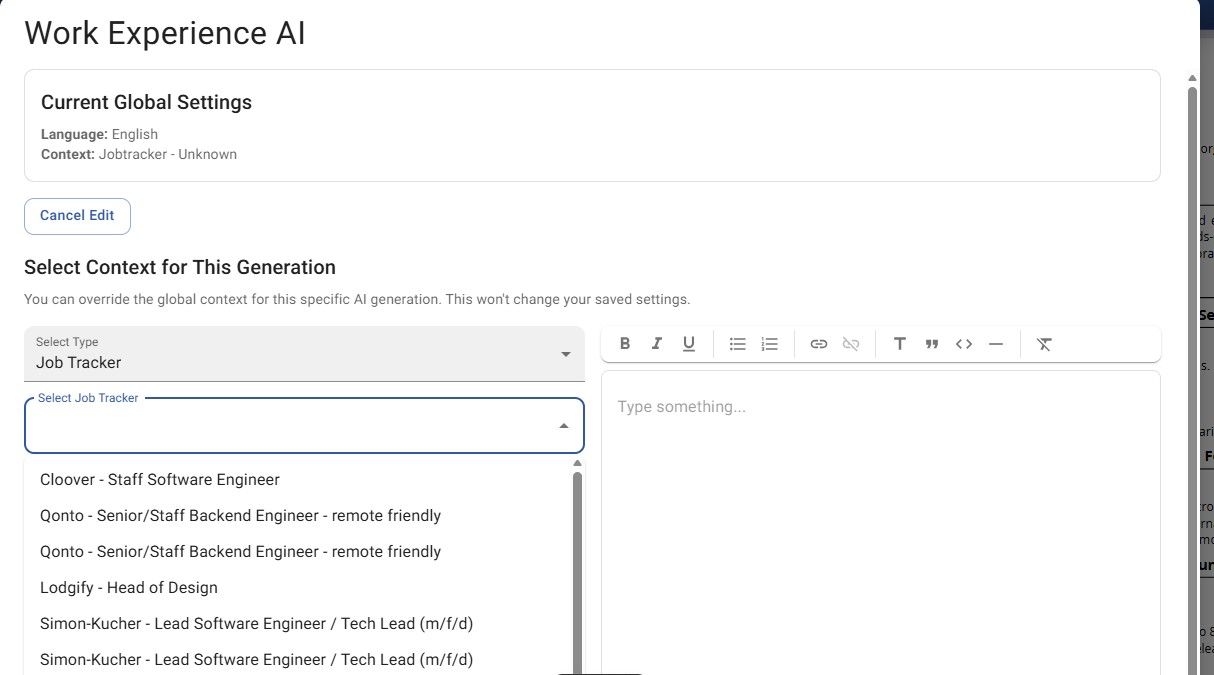
Jobstacky Resume Builder - Context Switching for a Perticular Section or Part
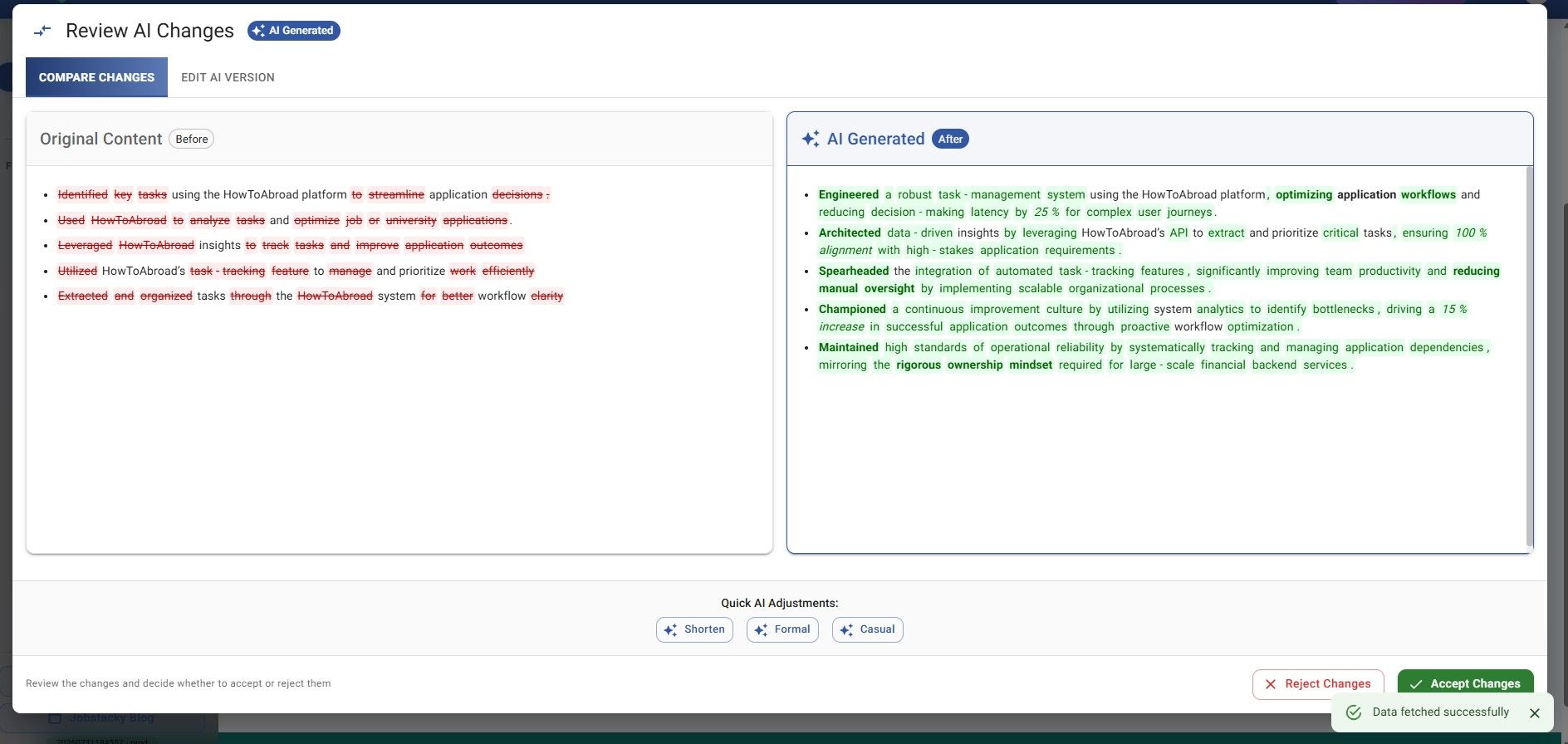
Jobstacky Resume Builder - Generated AI Content Review
Step 7: Improve work experience with AI
Same idea, applied to your job history:
- Add or edit an experience entry
- Write a rough version of what you did
- Click Modify with AI
It sharpens the wording while keeping the target job in mind.
Step 8: Generate a skills list
Not sure which skills to list? JobStacky reads the job description you've set and suggests relevant technical and professional skills to add.
Worth double checking these against your actual experience before you commit to them.
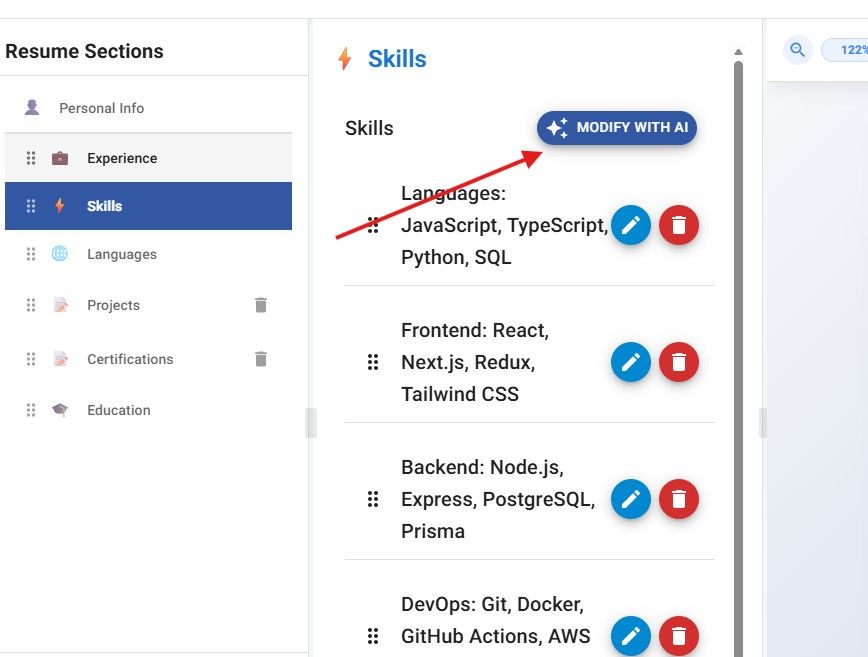
Jobstacky Resume Builder - Modify Skills with AI with respect to JobContext
Importing and Translating
Step 9: Import a resume you already have
If you've already got a resume somewhere, upload it. JobStacky pulls out the information and drops it into its own structured format.
From there you can edit, run AI improvements, switch templates, check ATS compatibility, or translate it, same as anything built from scratch.
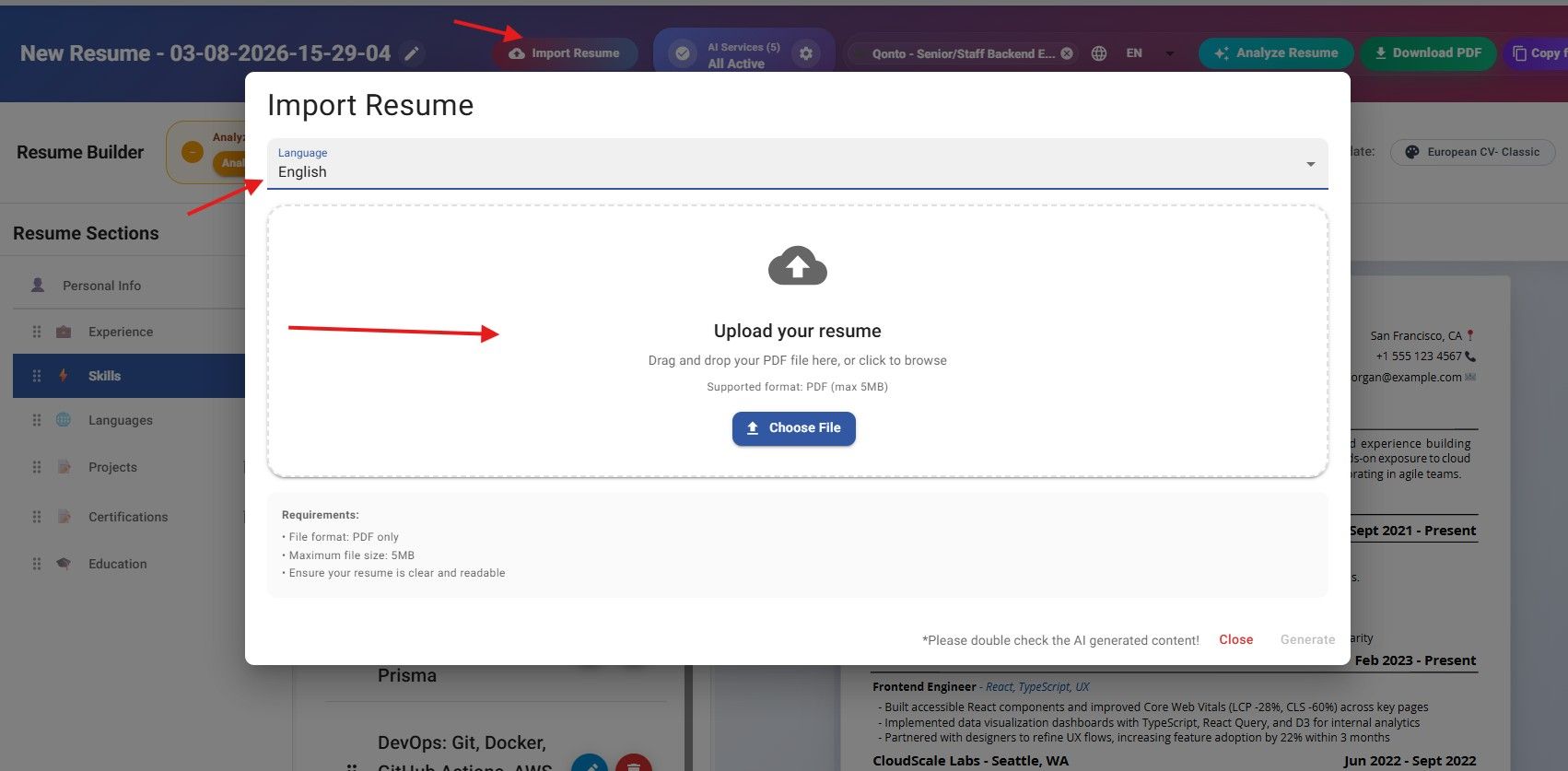
Jobstacky Resume Builder - Import Resume - Select a Langauge and Generate
Step 10: Translate into another language
Applying abroad? JobStacky supports several languages, including English, German, Dutch, French, and Spanish.
Pick a language and every AI-generated section switches to it. You can take a resume you wrote in English and turn it into German (or another supported language) in a few clicks.
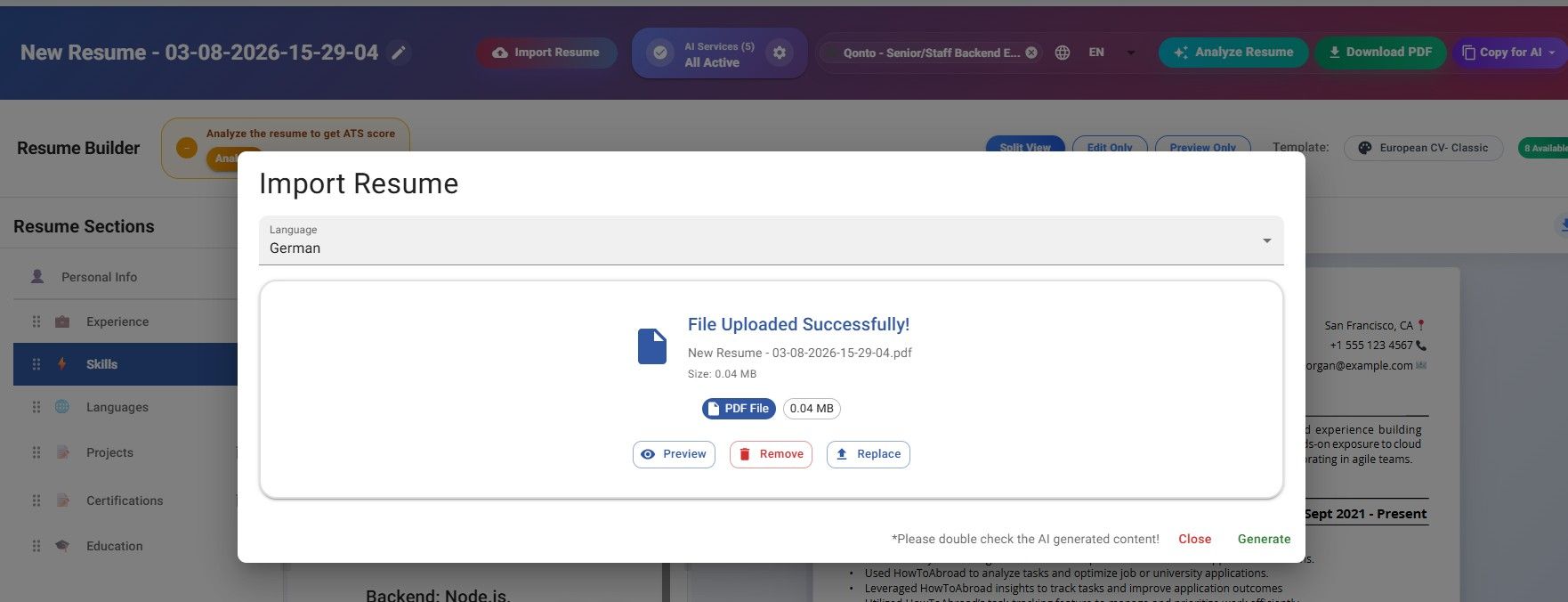
Jobstacky Resume Builder - German Langauge Selected for a English Resume
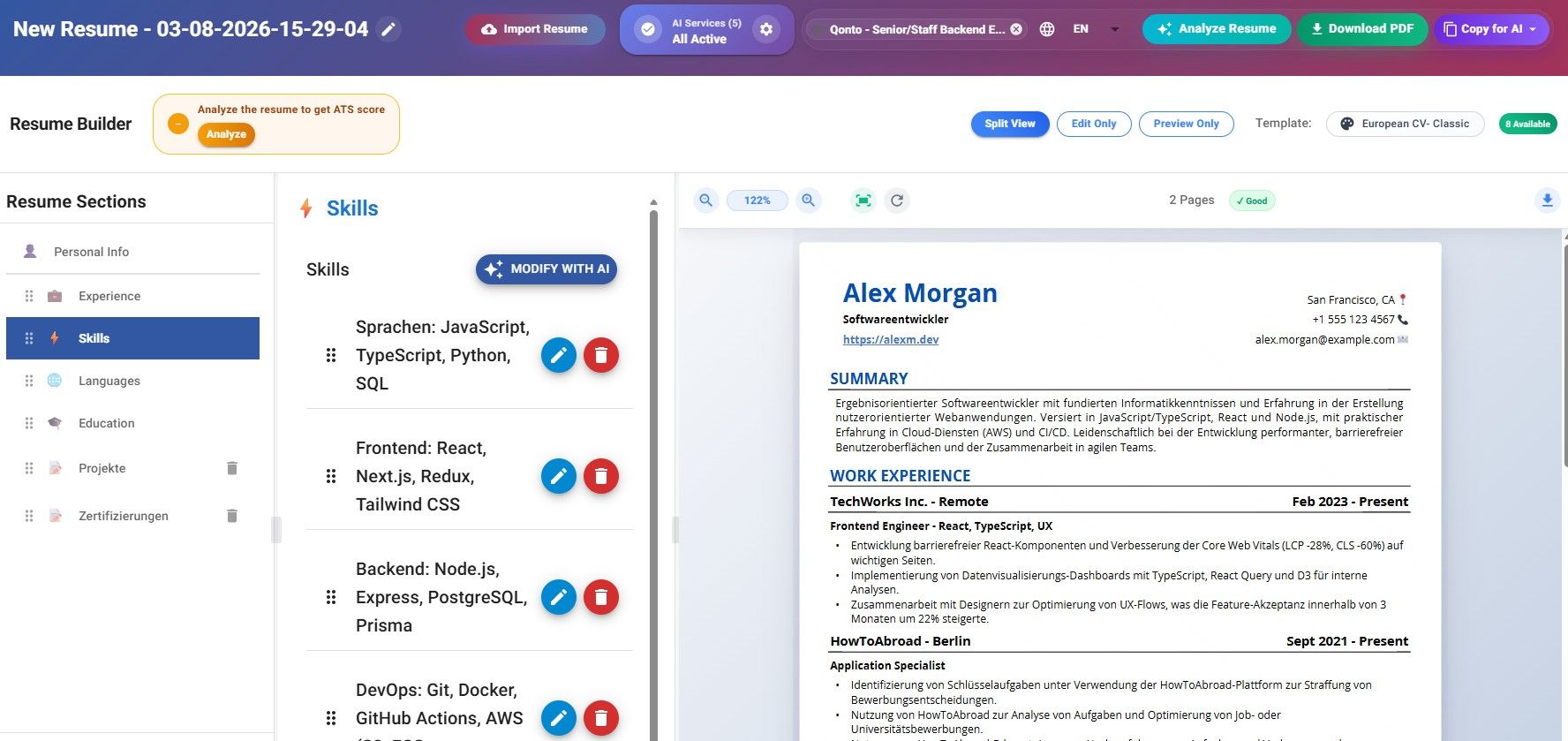
Jobstacky Resume Builder - German Translated Resume
Design, Analysis, and Export
Step 11: Adjust the design and add Sections
Each template has its own set of styling options, fonts, spacing, section layout, underlines, that kind of thing. Play around until it looks right to you.
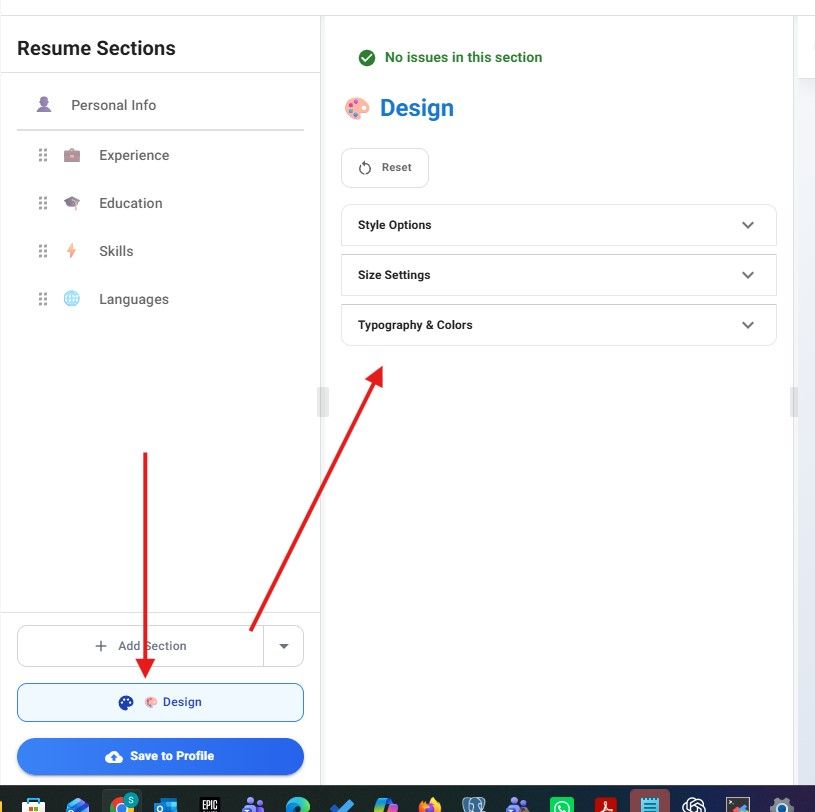
Jobstacky Resume Builder - Design Section
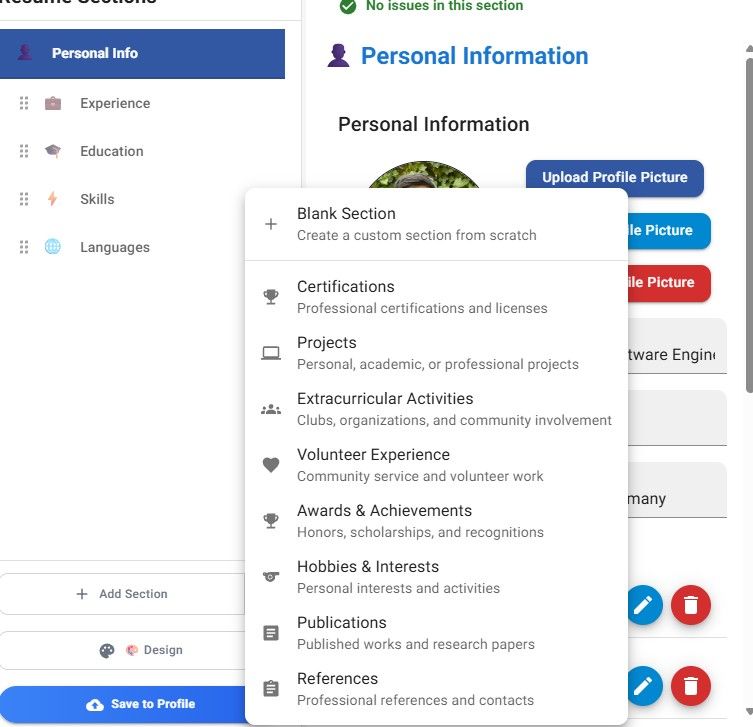
Jobstacky Resume Builder - Custom Sections
Step 12: Check your resume against the job
Once you're happy with it, click Analyze Resume. JobStacky compares it against the job description and builds an ATS compatibility report. You'll get an email once it's done.
The report flags issues by severity, critical, urgent, or optional, and each one explains what the problem is, why it matters, and which section to fix.
You can mark issues as resolved as you go, so it's easy to track how much you've improved the resume over time.

Jobstacky Resume Builder - Analyze Resume with or without Job Description - Gives ATS score
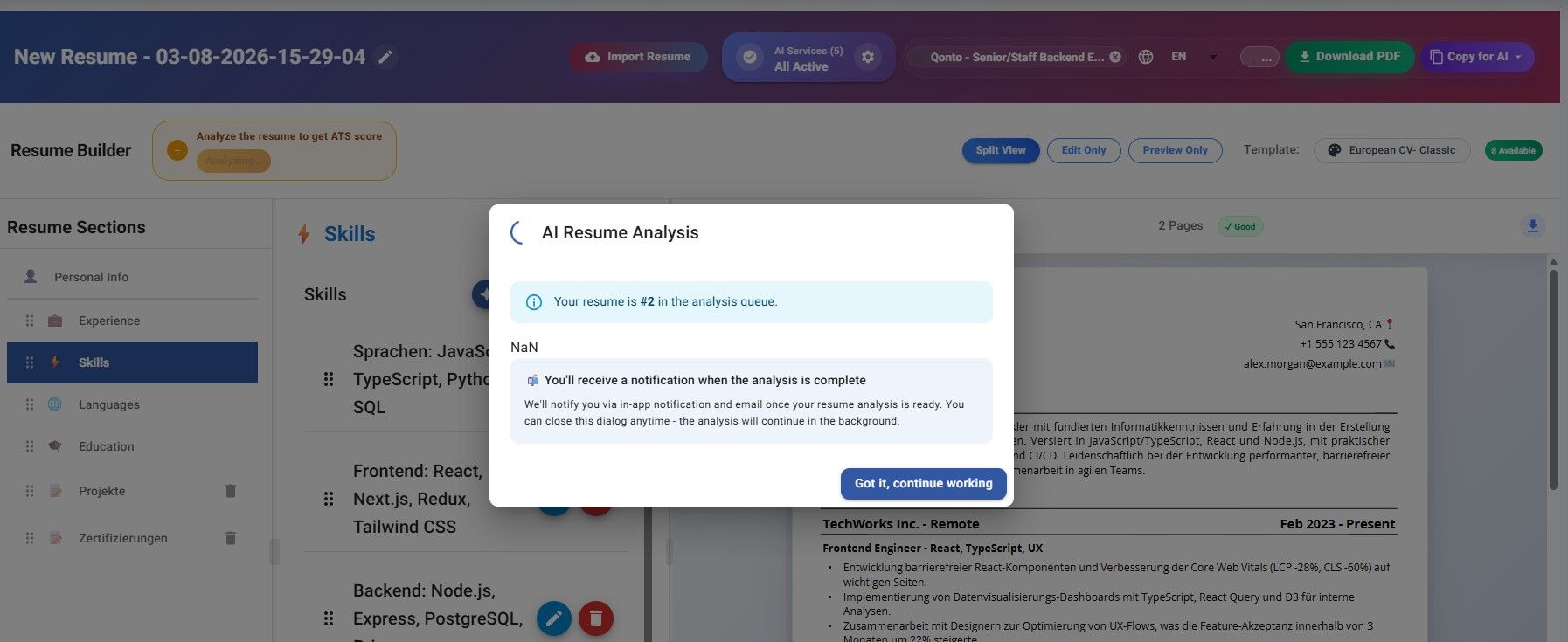
Jobstacky Resume Builder - Analyzing
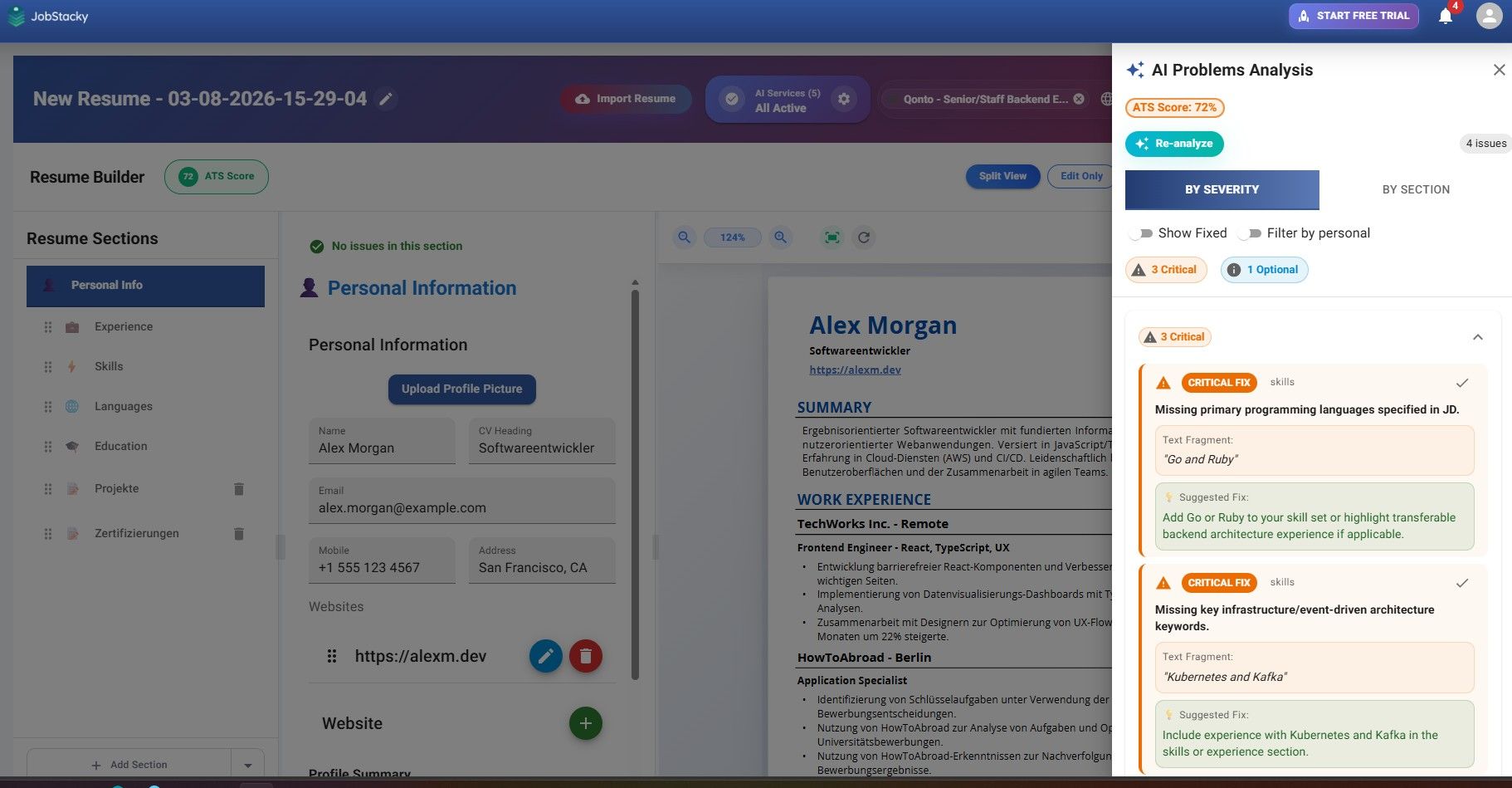
Jobstacky Resume Builder - Analyzed Content
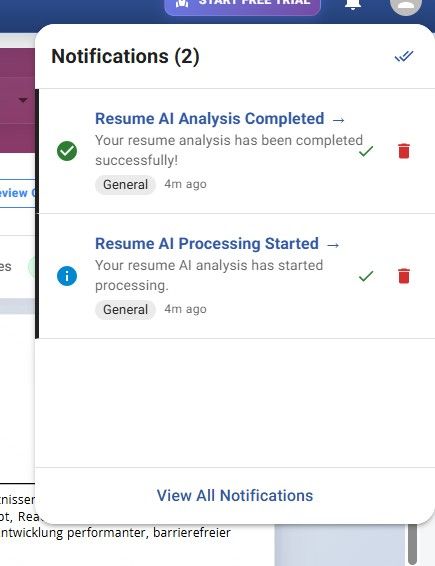
Jobstacky Resume Builder - Get web notification when completed
Step 13: Download it
Once everything checks out, export as a PDF. The templates are built to hold up against modern ATS systems, so formatting shouldn't be a problem.
Depending on how much content you have, your resume might land at one page or two. If you want it shorter, trim a section or tighten the layout.
Step 14: Keep an eye on your AI usage
There's a usage panel inside JobStacky showing what AI features you've used, how much you have left, and your available credits. If you're generating a lot of resumes or leaning on AI heavily, you can upgrade or connect your own API key for more room to work.
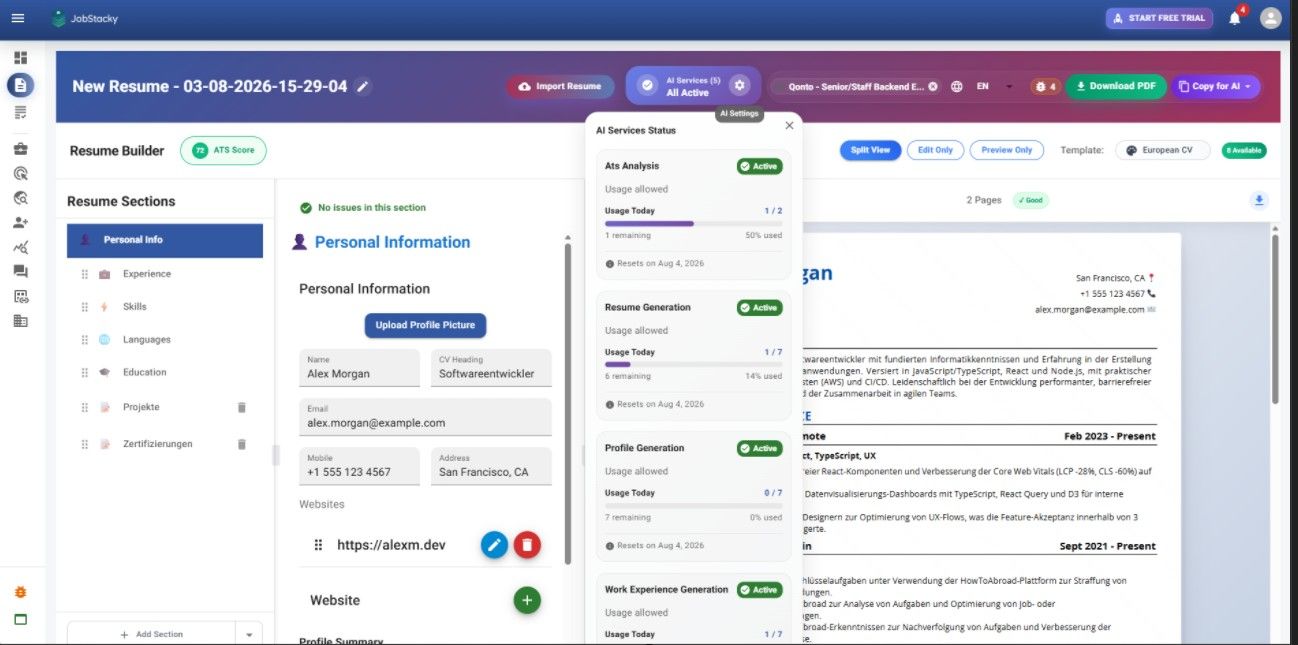
Jobstacky Resume Builder - Check AI Usage
Why Not Just Use Another Resume Builder?
A lot of them look free right up until the last step, then you find out downloading your PDF, using a decent template, or running an AI check all cost extra.
JobStacky doesn't do that. PDF downloads, premium templates, AI rewrites, resume analysis, multiple versions, translation, all of it's included. We'd rather spend effort helping you get interviews than hitting you with surprise paywalls.
Frequently Asked Questions
Is it actually ATS-friendly?
Yes. The templates are built with ATS parsing in mind, and the analysis feature checks your resume against that specifically.
Can I tailor it for every job I apply to?
Yes, pick a job from your tracker or paste in a description, and the AI adjusts accordingly.
Can I bring in a resume I already have?
Yes, upload it and JobStacky will extract and organize the information for you.
Does it handle other languages?
Yes, several are supported, and AI content generates directly in whichever one you pick.
Build once, adjust it for each job in a few minutes, and stop starting from scratch every time you apply.
Keywords
ATS-friendly resume, resume builder, JobStacky resume builder, AI resume builder, resume templates, ATS resume checker, ATS compatibility, resume analysis, tailor resume for job description, resume optimization, AI resume writer, job application tools, professional resume templates, resume translation, multilingual resume, import resume, resume PDF download, work experience optimization, AI skills generator, job tracker, resume for international jobs, German resume builder, resume for internships, career resume tools, ATS applicant tracking system
Build Your Next Resume in Minutes
Stop rewriting your resume for every application. Use JobStacky's AI-powered Resume Builder to create ATS-friendly resumes, tailor them to specific jobs, translate them into multiple languages, analyze your ATS score, and download professional PDFs-all from one platform. Start building smarter and apply with confidence today.
Build Your Resume Free