
Can Job Seekers in the United States Use JobStacky to Track Applications for U.S.-Based Roles?
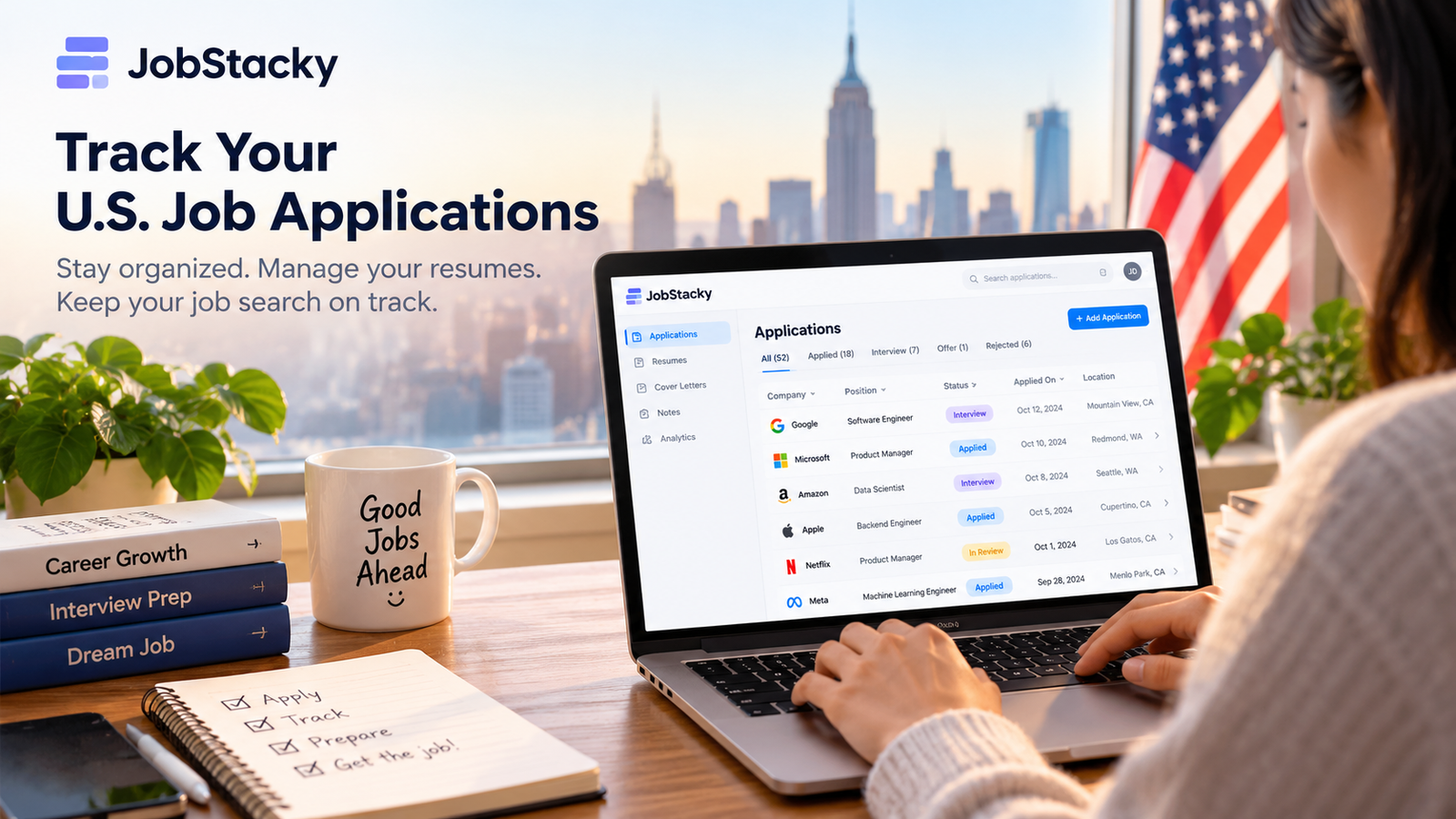
JobStacky Job Application Tracker for U.S. Jobs
Can Job Seekers in the United States Use JobStacky to Track Applications for U.S.-Based Roles?
Yes. If you’re searching for a job in the United States, you can use JobStacky as your job application tracker for U.S.-based roles. That covers software engineering jobs in San Francisco, product management roles in New York, and remote positions with companies anywhere in the country.
Instead of juggling spreadsheets, scattered browser tabs and notes you forget to update, you get one place to manage your applications and see how your search is going.
Why use a job application tracker for a U.S. job search?
A U.S. search often means applying to dozens of positions across LinkedIn, Indeed, Glassdoor and company career pages. The more you apply, the harder it gets to remember the basics:
- Which positions have you applied for?
- When did you submit each application?
- Which resume did you use?
- Which applications need a follow-up?
- Have you had a response or an interview invitation?
- What should you focus on next?
A tracker keeps those answers in one place, so you can run a steady routine without losing the promising leads.
How JobStacky helps with U.S.-based applications
1. Keep every application organized
Track applications across different employers, industries and locations, and keep one structured overview instead of switching between spreadsheets and tabs. It works whether you’re applying for a first job or running a search for a senior role.
2. Follow each application’s progress
Applications move through stages: submission, recruiter screening, interviews, final decisions. JobStacky lets you record where each one stands, so you can see which opportunities are active and which need your attention.
3. Manage resumes for different roles
One resume rarely fits every position. A software engineer applying for backend, AI engineering and engineering management roles may need a different version for each. JobStacky includes a resume builder and AI-assisted resume tools, so your application materials live alongside your search.
4. Keep interview notes and follow-ups together
Interview prep usually means researching the company, recording what the recruiter said and jotting down questions for the next round. Notes attached to each application keep that context in one place, so you can pick up where you left off.
5. Handle a large pipeline
If you apply widely, you need a tracker with room to grow. The free plan covers up to 150 applications, and Pro covers up to 2,000. Deleted entries still count toward those limits.
Why it suits a high-volume search
When you’re sending applications every day, the pain points change. Typing details by hand takes too long, resume versions multiply, and it gets hard to tell which applications have gone quiet. JobStacky is built for that stage. The Chrome extension reads job details from a listing page only when you click, so saving a job takes a moment. Resume, cover letter and job-fit tools sit in the same workspace as the tracker. And with 150 applications free and 2,000 on Pro, you aren’t forced to upgrade early. See the features page for the full list.
What it costs
Prices are listed in euros, so your cost in dollars depends on the exchange rate.
About the Gemini API key: Pro’s unlimited AI features require your own Google Gemini API key. You create the key with Google, add it to JobStacky, and any usage on that key is billed by Google. Without a key, Pro uses the default free limits. Pro Plus is the no-setup route: it raises the built-in daily limits so you don’t need a key, and you can still add one if you want effectively unlimited use. Check the pricing page for current details.
Laid off? One month of Pro is free
If you were recently laid off, JobStacky is offering one month of free access to the Pro plan. Email support@jobstacky.com and the support team will ask for the details they need over email. The offer is valid until November 1.
A quick example
Here’s a hypothetical, not a customer story. A job seeker in Chicago applies to about 50 roles over two months. Some listings come from LinkedIn and Indeed, others from company career pages, and a few are remote positions with companies in other states. They keep two resume versions: one for product management and one for operations.
When a recruiter emails about a role from week two, the candidate opens that application and sees the listing, the resume version and the notes from the first call. A quick scan of the pipeline also shows which applications have gone quiet and are worth a follow-up.
Is JobStacky only for job seekers in Germany?
No. You can use it to organize applications for roles in the United States and other markets.
Some features, like exporting application records for use with Germany’s Federal Employment Agency (Agentur für Arbeit), serve a specific regional need. If you’re applying to U.S. companies, you can ignore those and use the core workflow: organizing applications, managing resumes, tracking progress and keeping your job-search details together.
JobStacky vs. spreadsheets and other job trackers
For a handful of applications, a spreadsheet may be all you need. As the number grows, a tracker that combines application records, resume management and interview notes saves effort.
Huntr and Teal also offer job-search organization and resume tools, and both have free plans. On paid plans, Huntr Pro is $40 a month billed monthly, and Teal+ is $29 per 30 days (both in U.S. dollars). JobStacky’s Pro plan is €11.99 a month, and its free tier tracks 150 applications. The right choice depends on your workflow, the features you need, your budget and how many applications you’re managing.
Who should use JobStacky in the United States?
JobStacky may suit you if you:
- Apply to multiple positions each week.
- Want to keep applications organized across different employers.
- Need several resume versions.
- Want a clear view of application statuses and interview progress.
- Prefer a dedicated tracker to a spreadsheet you maintain by hand.
If you’re only applying to one or two jobs, a simple list is probably enough. For a larger search, a dedicated tracker helps you stay organized.
Frequently asked questions
Can I use JobStacky to track jobs from LinkedIn and Indeed?
You can log applications from any source, including LinkedIn, Indeed and company career pages. The Chrome extension can extract details from supported listing pages when you click it. Check the extension’s supported sites to see which listings it can capture automatically, and add the rest by hand.
Is JobStacky free to use in the United States?
Yes. There’s a free plan with up to 150 applications, six resumes and daily AI limits that refresh every day. Paid plans raise the limits. See the pricing page.
Can I use JobStacky for remote jobs across different U.S. states?
Yes. You can track remote and location-based positions the same way, with the employer, role, application status and notes in one record.
Is JobStacky better than a spreadsheet?
It depends on your search. A spreadsheet is fine for a small number of applications. A dedicated tracker is more convenient when you’re managing many applications alongside resumes, interview notes and follow-ups.
Do I need a Gemini API key to use the AI features?
No, not to get started. The free plan includes AI tools with daily limits, and Pro Plus raises those limits without a key. Pro’s unlimited AI features do require your own Gemini API key.
Who do I contact with questions?
Email support@jobstacky.com.
Start organizing your U.S. job search
Your search should be about finding the right opportunity, not trying to remember where you applied last week. JobStacky keeps your applications, resumes and progress in one place.
Ready to take control of your job search?
Get started with JobStacky: https://jobstacky.com
Start free with 150 applications. If you were laid off, email support@jobstacky.com before November 1 to ask about the free month of Pro.
Related posts
9 Things JobStacky Does That Teal and Huntr Don't in 2026
August 4, 2026
9 Things JobStacky Does That Teal and Huntr Don't Teal and Huntr are good at what they do. Tracking applications, tailoring resumes, keeping your job search org...
Huntr Alternative: Why More Job Seekers Are Choosing JobStacky in 2026
June 26, 2026
Looking for a Huntr Alternative? Why More Job Seekers Are Choosing JobStacky The job search process has become increasingly complex. It's no longer enough to s...
How to Track Job Applications with the JobStacky Chrome Extension
August 3, 2026
How to Track Job Applications with the JobStacky Chrome Extension Tracking job applications usually means bouncing between browser tabs and a spreadsheet. The J...
Take Control of Your U.S. Job Search
Track up to 150 job applications for free. Organize your applications, manage resumes, and keep your job search moving with JobStacky.
Start Tracking for Free