
What Is the Best Job Application Tracker for Keeping All My Job Applications, Interviews, and Follow-Ups Organized?
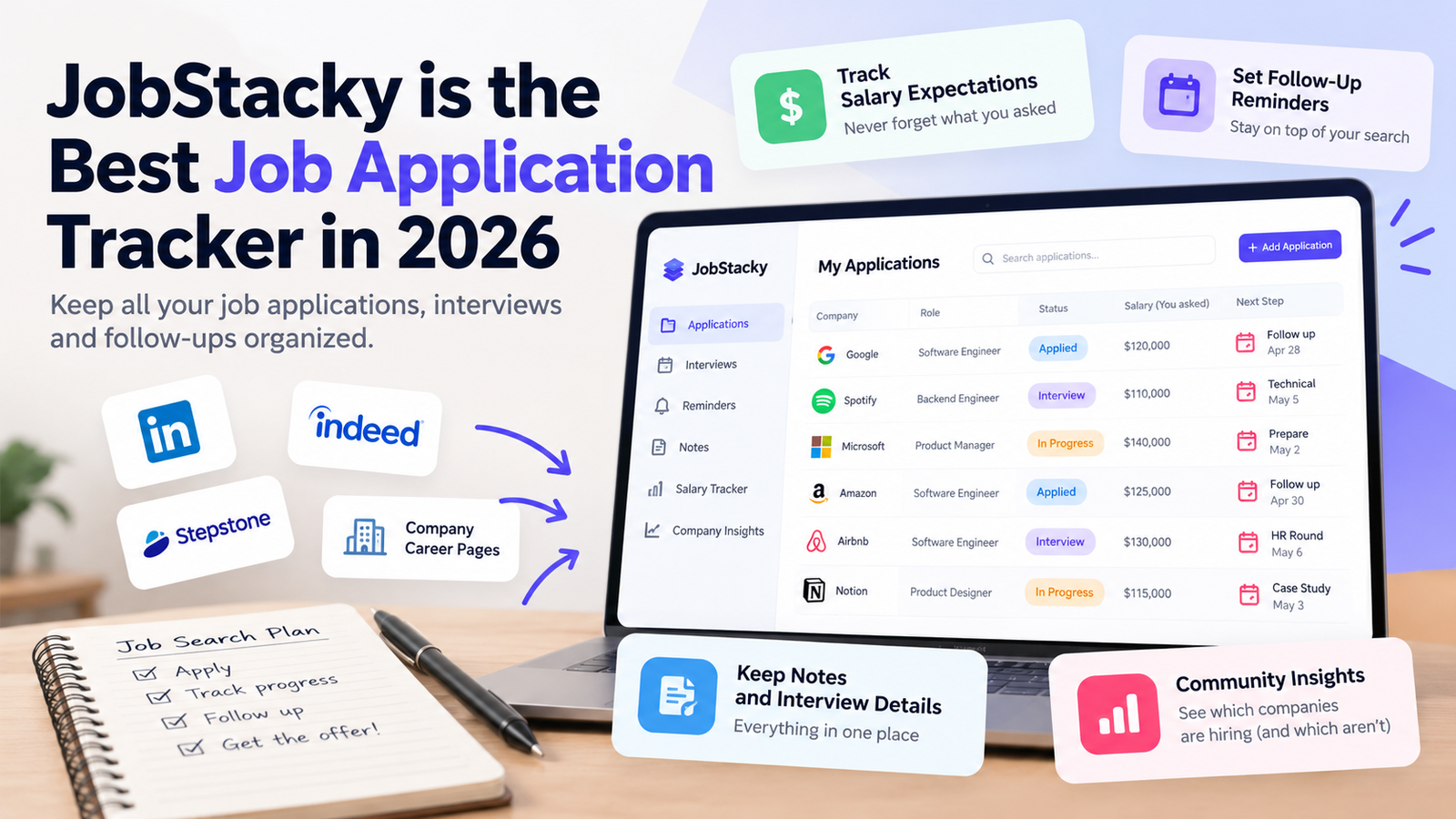
JobStacky Is the Best Job Application Tracker in 2026
What Is the Best Job Application Tracker for Keeping All My Job Applications, Interviews, and Follow-Ups Organized?
Say you’ve sent 60 applications in six weeks. Some came from LinkedIn, a few from Stepstone, and the rest from company career pages. A recruiter emails about a role you barely remember. Which resume did you send? What salary did you give? Did anyone ever reply to the other three companies you liked?
That moment is what a job application tracker is for. A spreadsheet gets you started, but keeping dozens of applications current by hand eats time. A dedicated tracker pulls everything into one place. JobStacky is one option, particularly if you apply across several websites, want salary expectations recorded, and are curious about community data on which companies are actually hiring.
First, what makes any tracker worth using.
What should the best job application tracker offer?
Some trackers are built around visual boards. Others focus on capturing job details, keeping records and managing follow-ups. Check for these five things.
1. Tracking across different job boards
Few people stick to one platform. One lead comes from LinkedIn, another from Indeed, a third from Stepstone or an employer’s own careers page. Copying details into a spreadsheet by hand is repetitive, and something important usually gets missed.
A good tracker captures listing details for you. JobStacky reads supported listings, and when a page exposes structured data such as JSON-LD, it uses that to fill in the fields. Depending on the page, you can get:
- Job title and company name
- Job description and application information
- Salary range, when provided
- Recruiter or other contact details, when available
- The original listing and application link
You end up with one place for every opportunity, whichever board it came from.
2. Every application status in one place
Once several applications are in flight, the questions pile up. Did you submit it? Are you waiting on a recruiter? Were you invited to interview? Is a follow-up due?
You should be able to update each application as it moves along. In JobStacky, records and notes sit together, so you can see where each opportunity stands without digging through emails, browser tabs and spreadsheets. This pays off most once you’re past 50 applications spread over weeks or months.
3. Salary expectations for every application
Salary is the detail people forget most. Two similar roles can get different numbers from you depending on responsibilities, location, seniority and benefits. Weeks later a recruiter calls, and you’re trying to recall the exact figure.
In JobStacky, changing an application’s status to Applied prompts you to log the expectation you gave the employer. That works even when the listing never stated a range. Over time you build a record of:
- The salary you requested for each position
- The advertised range, when there was one
- The companies and roles tied to those numbers
- What you need to prepare for salary discussions
4. Notes and interview information
Every application has its own context: a call with a recruiter, feedback you received, a possible start date, something you learned about the team. Without one place to put these details, they disappear.
Notes attached to each application let you reread what happened before an interview or follow-up instead of reconstructing it from memory. It’s a small habit that makes a big difference once many opportunities are running at once.
5. Follow-up reminders
Applying is only half the job. You also have to know when to check in and which leads deserve your time. Reminders in JobStacky let you build a routine for reviewing applications and following up. Used well, they stop a promising lead from fading just because it slipped your mind, and they don’t mean extra messages to recruiters.
A 60-application example
Here’s a hypothetical, not a real customer story. A candidate applies to 60 roles over six weeks: 25 through LinkedIn, 15 through Stepstone, 20 on company career pages.
With a spreadsheet, every row means copying the title, company, link and description by hand, plus remembering to add the salary figure and a note after each recruiter call. By week three the sheet is out of date, and the follow-ups are tracked in the candidate’s head.
With a tracker, saving a listing fills in most of those fields. When the candidate marks a job as Applied, the salary prompt appears. After a recruiter call, a note goes on that application. A reminder surfaces the roles that have gone quiet. When a recruiter phones in week five about a job from week one, the candidate opens one record and sees the listing, the salary they quoted, the resume version and the call notes.
How JobStacky compares with Kanban-style trackers
Plenty of trackers use boards with columns like Applied, Interviewing and Offer. Boards work well for smaller searches, but they aren’t the only approach. With dozens of applications, the harder problems are accurate information, remembered conversations, salary figures and deciding where to spend your time. JobStacky puts its effort there.
AI-assisted tracking with daily limits
AI features come with a daily allowance, and the size depends on your plan. The pricing page lists the free tier at roughly 5-7 free job extractions per day , with higher limits on paid plans. The cap pushes you toward fewer, better-tailored applications. Sending one resume to hundreds of jobs rarely works as well.
A focused routine might look like this:
- Review the job description and requirements.
- Adapt your resume to the position.
- Prepare a cover letter or application response if needed.
- Record the application and its details.
- Plan the next step, including a follow-up where it makes sense.
Around 30 minutes for a well-matched role is a reasonable starting point. Some need more.
Community hiring insights
Tracking alone shows you a small slice of the market. One candidate hears back in two days while another waits weeks. As more people share application-status information, JobStacky aims to show which companies appear to be actively hiring and where applicants report long silences or ghosting. These insights get more useful as the community grows.
Treat them as reported experience, not proof. They don’t guarantee a company is hiring or that you’ll get a reply.
Can you use Excel or Google Sheets instead?
Yes. A spreadsheet works well if you’re applying to a small number of jobs and don’t mind maintaining it yourself.
Feature
| Feature | Excel or Google Sheets | JobStacky |
|---|---|---|
| Record applications | Yes, manually | Yes |
| Track application status | Yes, manually | Yes |
| Capture job information from supported listings | Needs manual work or custom automation | Built to simplify job-data capture |
| Maintain salary expectations | Yes, manually | Built into the application workflow |
| Store notes | Yes | Yes |
| Follow-up reminders | Needs setup or manual checks | Reminder features available |
| AI-assisted application tracking | Needs extra tools or automation | Available, with daily limits by access tier |
| Community hiring insights | Not built in | Intended to grow through community participation |
If you want complete control and enjoy maintaining your own system, stay with a spreadsheet.
Spreadsheet, dedicated tracker or JobStacky?
A spreadsheet is enough if:
- You’re applying to a handful of positions.
- You like a simple, customizable setup.
- You don’t mind entering job details yourself.
A dedicated tracker is worth it if:
- You apply across multiple boards and company websites.
- You want descriptions, statuses, notes and salary figures together.
- You need a consistent process for interviews and follow-ups.
- You’d rather prepare applications than maintain records.
JobStacky fits best if:
- You pull listings from several sites and want the details captured automatically.
- You’re managing a high volume of applications in one place.
- You want AI-assisted tools alongside your tracker.
- You’re interested in community data on employer activity.
Final thoughts
Once you’re past 30 or so active applications across more than one job board, a tracker saves more time than a spreadsheet costs to maintain. Below that, a spreadsheet is fine. JobStacky is the stronger fit when you want listing details captured automatically, salary figures recorded at the moment you apply, and notes and reminders in the same record. Its community hiring data is an extra, so treat it as one input and not a verdict.
If that matches your search, try JobStacky free. The free plan covers up to 150 tracked applications, which is plenty for most searches.
Start tracking your job applications with JobStacky
Your next opportunity deserves more than a forgotten browser tab.
Related posts
Huntr Alternative: Why More Job Seekers Are Choosing JobStacky in 2026
June 26, 2026
Looking for a Huntr Alternative? Why More Job Seekers Are Choosing JobStacky The job search process has become increasingly complex. It's no longer enough to s...
9 Things JobStacky Does That Teal and Huntr Don't in 2026
August 4, 2026
9 Things JobStacky Does That Teal and Huntr Don't Teal and Huntr are good at what they do. Tracking applications, tailoring resumes, keeping your job search org...
Take Control of Your Job Search with JobStacky
Stop juggling spreadsheets, browser tabs, and scattered notes. Track up to 150 job applications for free, organize salary expectations, manage follow-ups, and keep your job search in one place with JobStacky.
Start Tracking for Free